Steering Column Multi-Function Switch
Steering Column Multi-function SwitchSteering Column Multi-function Switch:
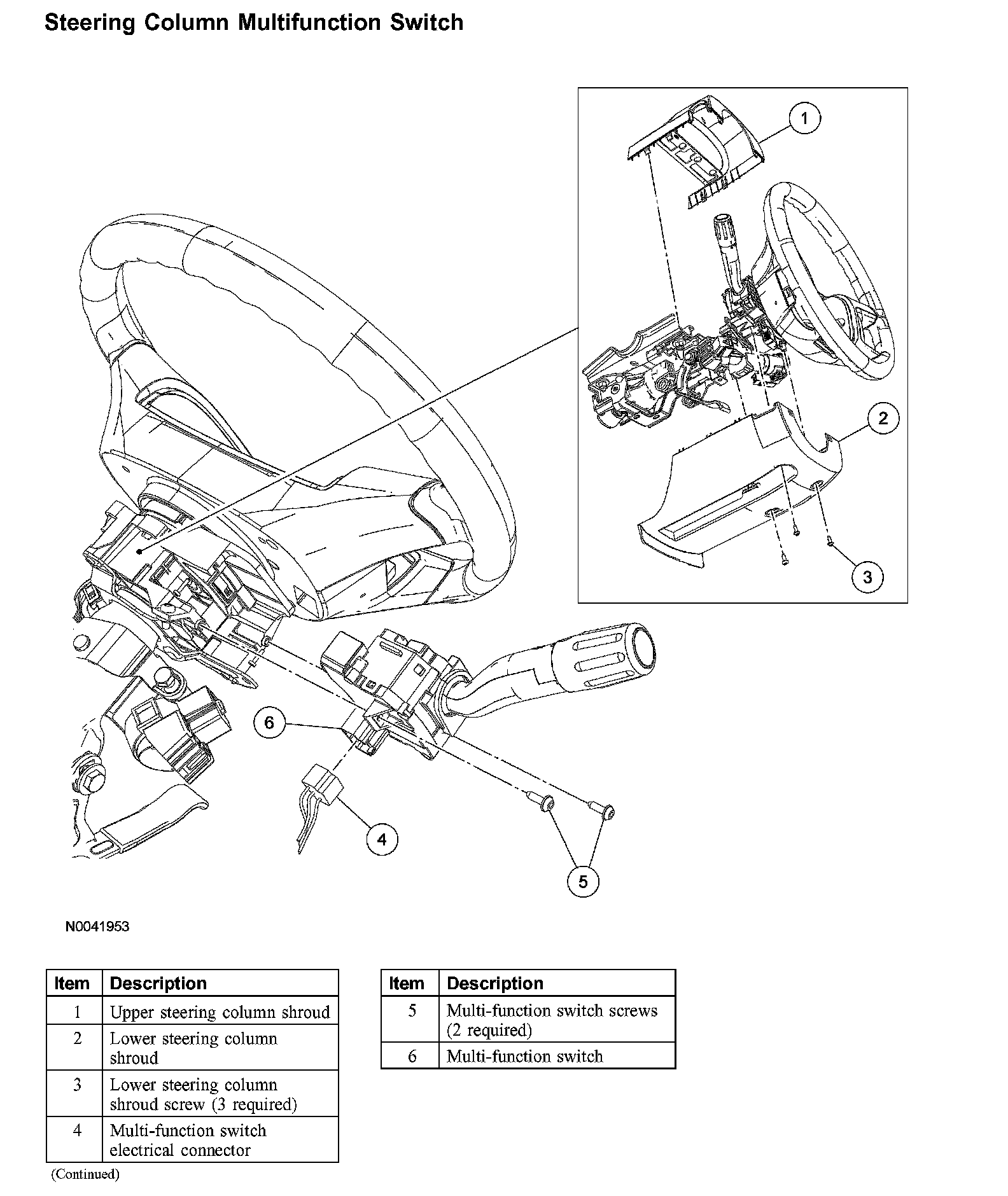
Removal and Installation
1. Disconnect the battery ground cable. For additional information, refer to Battery.
2. NOTE: The instrument panel steering column cover is held in place by tabs that clip to the instrument panel.
Remove the instrument panel steering column cover by pulling straight outward.
3. NOTE: Release the upper steering column shroud, by pressing inward on the sides of the shroud and lifting upwards.
Remove the upper steering column shroud.
4. Release the tilt lever, remove the 3 screws and then remove the lower steering column shroud.
5. Disconnect the multi-function switch electrical connector.
6. Remove the 2 multi-function switch screws and remove switch.
7. To install, reverse the removal procedure.