Test No. 1
- Check SECURITY Indicator Light
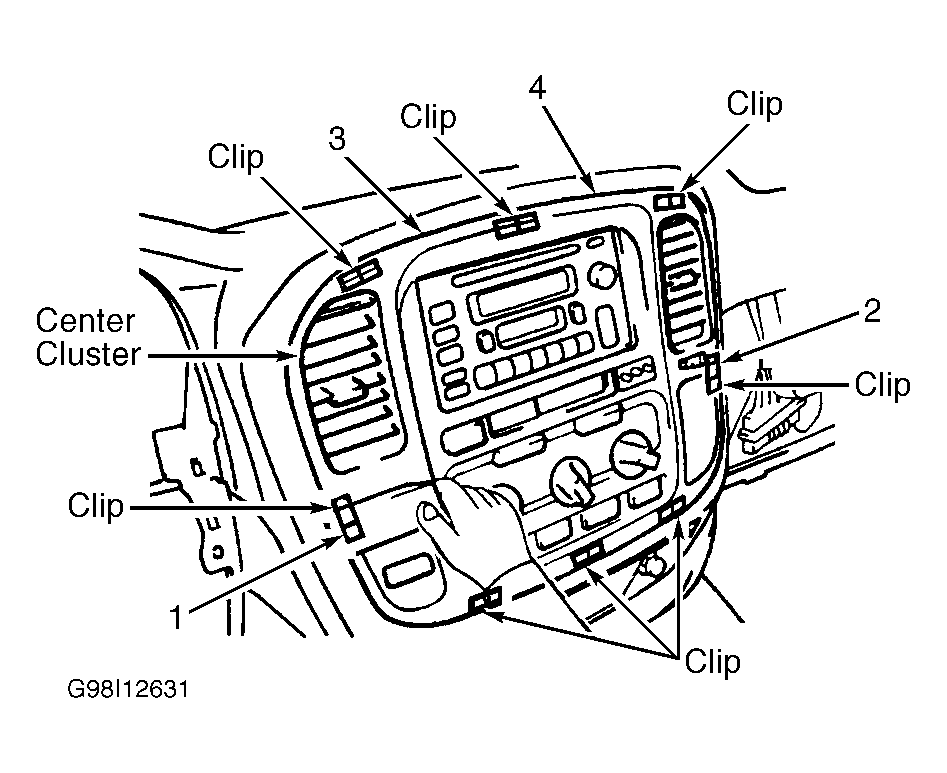
Using molding remover, remove center cluster from instrument panel by prying center cluster from 8 clips in proper order. See Fig 2. Disconnect harness connectors and remove center cluster. Center cluster may also be referred to as integration control panel.
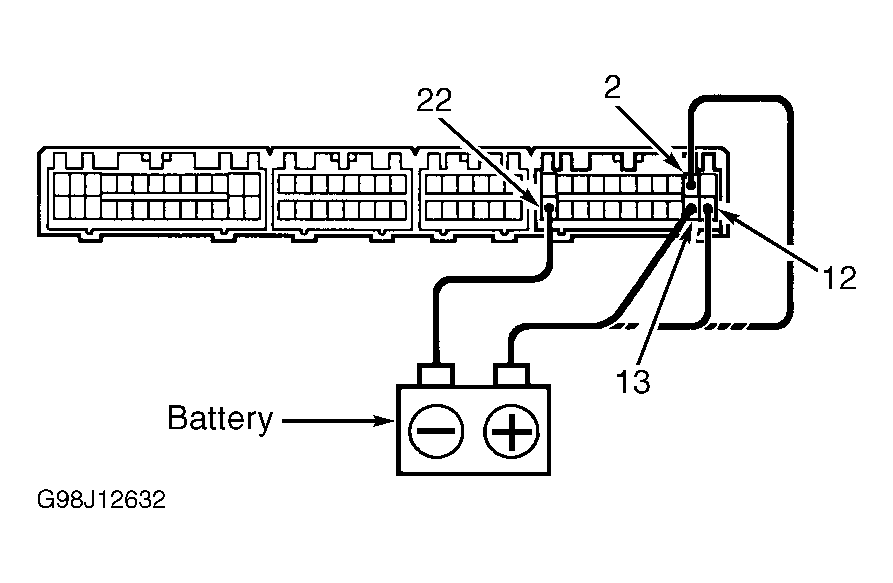
- Connect negative battery source to terminal No. 22 and positive battery source to terminals No. 2, 12 and 13 on center cluster. See Fig 3.
- Verify SECURITY indicator light, located near clock illuminates. If SECURITY indicator light illuminates, go to next step. If SECURITY indicator light does not illuminate, replace SECURITY indicator light.
- Check SECURITY Indicator Light Wiring
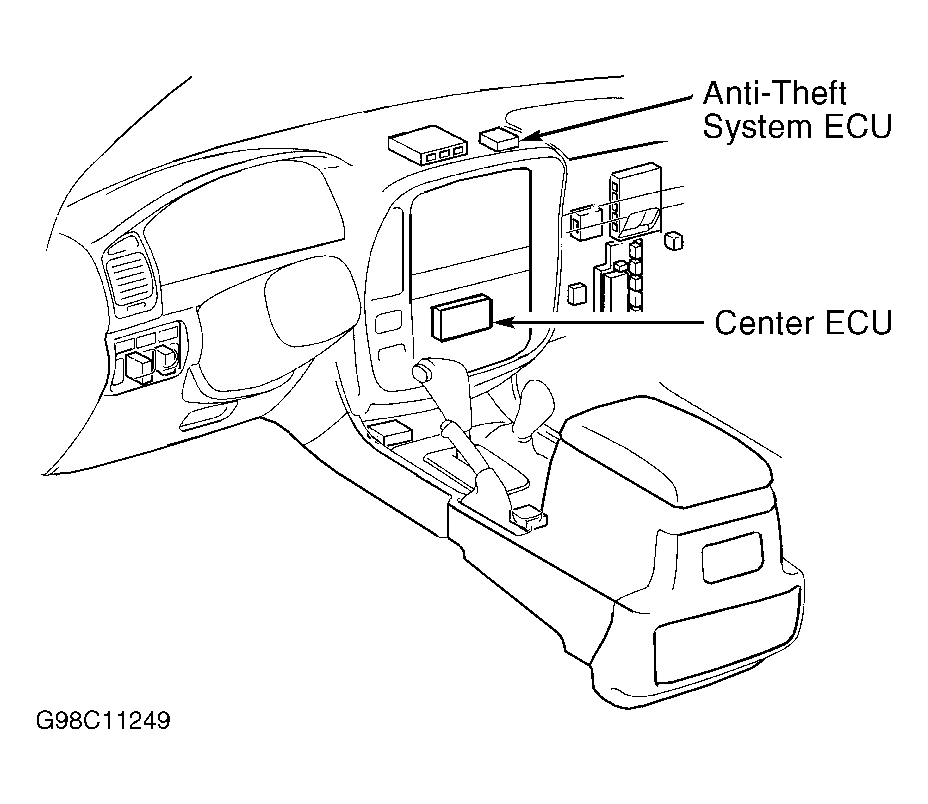
Check for defective harness connectors and Green/Red wire between anti-theft system Electronic Control Unit (ECU) and center Electronic Control Unit (ECU). See WIRING DIAGRAMS . Anti-theft system ECU is located behind glove box and uses a 12-pin and a 22-pin harness connector. See Fig 4. Center ECU is located behind center of instrument panel and contains a 12-pin, 16-pin, 22-pin and a 26-pin harness connector. If harness connectors and wiring are okay, go to next step. If harness connectors or wiring are defective, repair as necessary.
- Replace Anti-Theft System ECU
Replace anti-theft system ECU. See ANTI-THEFT SYSTEM ECU under REMOVAL & INSTALLATION. Check system operation. If anti-theft system still cannot be set, go to next test listed. See TROUBLE SHOOTING SYMPTOMS under TROUBLE SHOOTING.
 Courtesy of © TOYOTA, LICENSE AGREEMENT TMS1002
 Courtesy of © TOYOTA, LICENSE AGREEMENT TMS1002
 Courtesy of © TOYOTA, LICENSE AGREEMENT TMS1002
 Courtesy of © TOYOTA, LICENSE AGREEMENT TMS1002