DTC Check
SYSTEM CHECK MODE (DTC CHECK)HINT: Illustrations may differ from the actual vehicle depending on the device settings and options. Therefore, some detailed areas may not be shown exactly the same as on the actual vehicle.
1. Start the diagnostic mode.
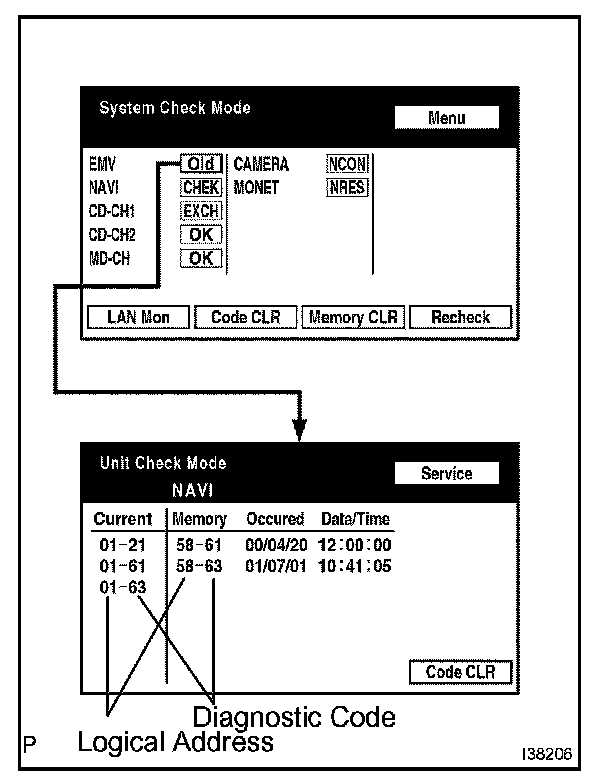
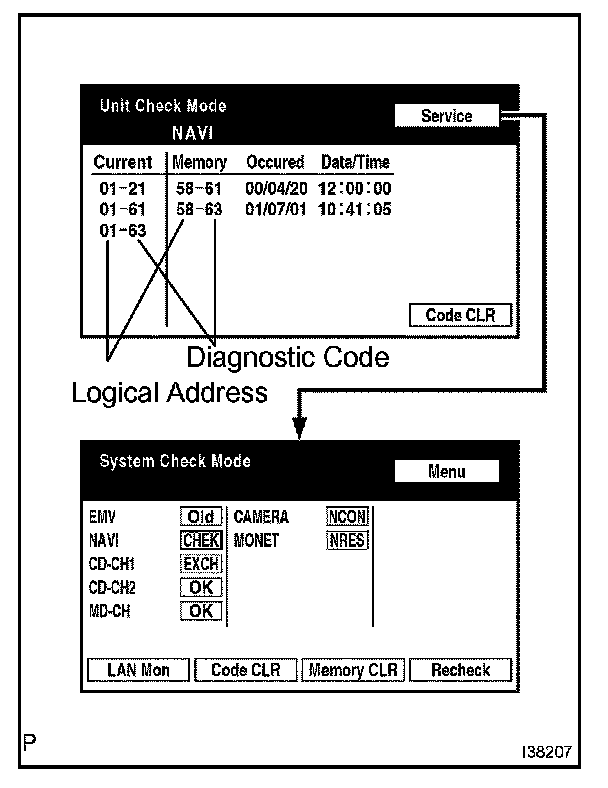
2. Read the system check result.a.If all check results of other devices are-EXCH,-CHEK-or-Old,-touch the display to check the contents on the-Unit Check Mode-screen and record them on the customer problem analysis check sheet.
HINT:
- If all check results are-OK,-go to communication DTC check (go to step 3).
- If a device name is not known, its physical address is displayed.
HINT: If"EXCH", "CHEK" and "Old" as well as "OK" exist, press the service switch to return to the "System Check Mode". Then, check the "Unit Check Mode" screen and record them on the customer problem analysis check sheet.
3. Read the communication diagnostic check result.
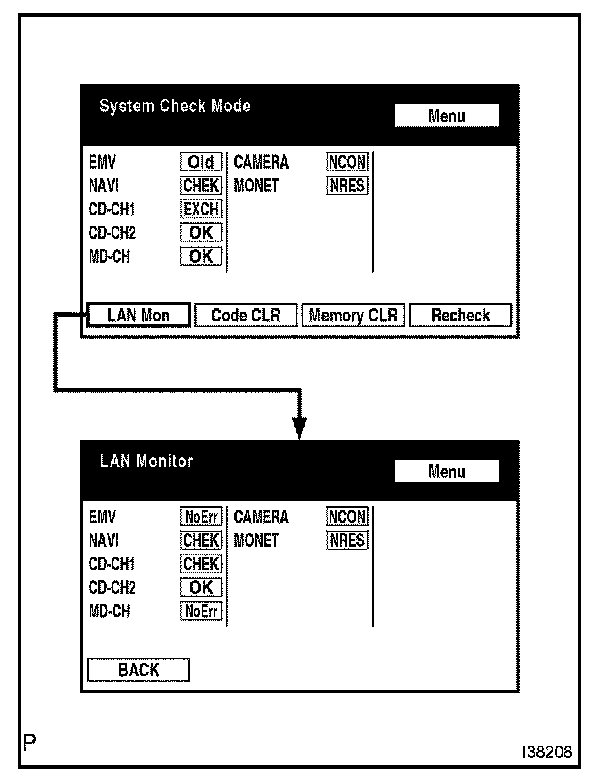
a. Return to the"System Check Mode", and press "LAN Mon" switch to enter the LAN monitor screen.
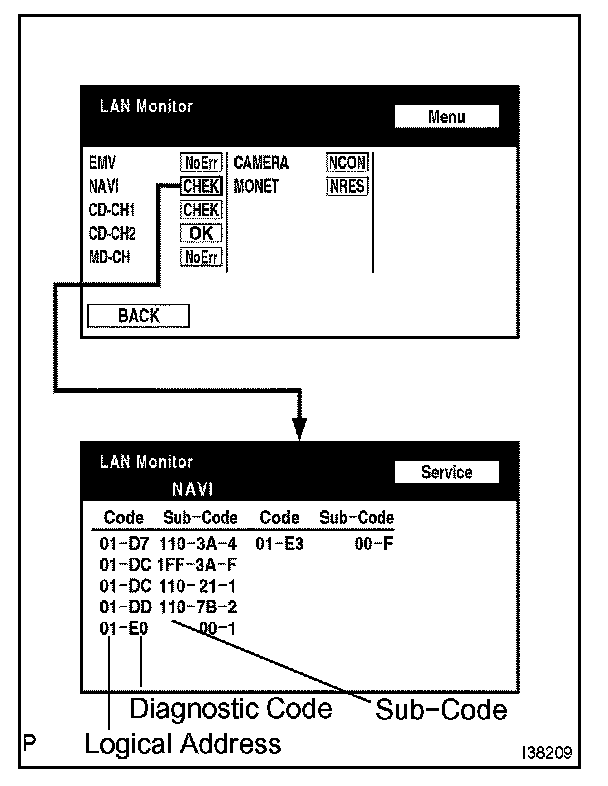
b. If the result is "CHEK" or "Old", touch the result switch to check the contents on the individual communication diagnostic screen and record them on the customer problem analysis check sheet.
HINT:
- If all check results are "No Err", the system judges that no DTC exists.
- The sub-code (relevant device) will be indicated by its physical address.
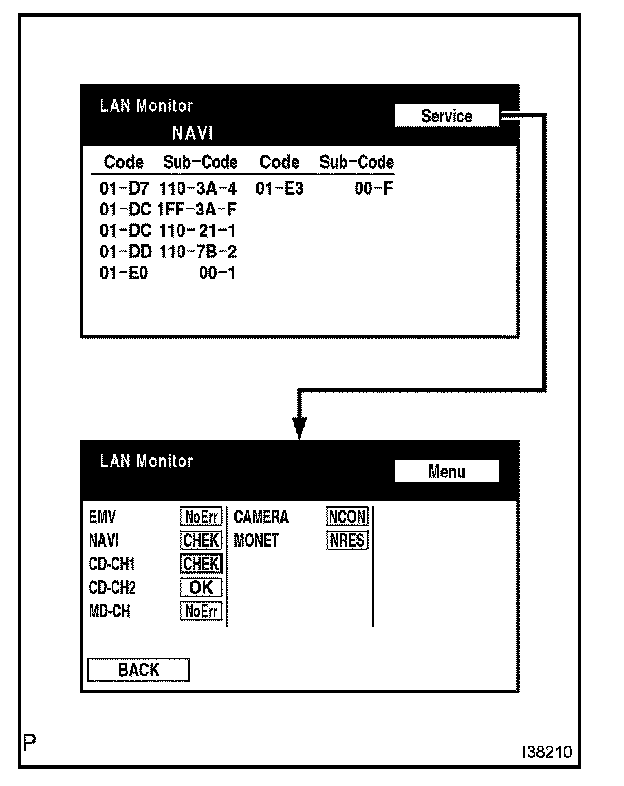
HINT: If check results of other devices are "CHEK", press the "Service" switch to return to the original "LAN Monitor" screen. Then, check the individual communication diagnostic screen for the next device and record the result on the customer problem analysis check sheet.