Audio-HVAC Display Unit Removal/Installation
Audio-HVAC Display Unit Removal/Installation(without navigation)
NOTE:
- Put on gloves to protect your hands.
- Take care not to scratch the dashboard.
1. Remove the center panel.
2. Remove the screws, then pull out the audio-HVAC display unit (A).
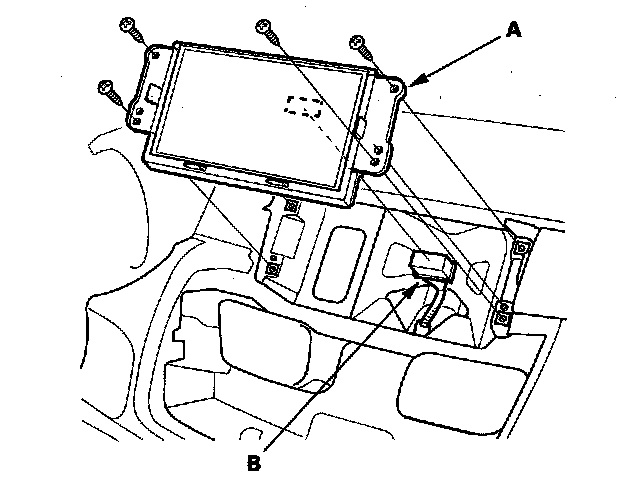
3. Disconnect the connector (B) and remove the audio-HVAC display unit.
4. Install the audio-HVAC display unit in the reverse order of removal.