ODS Unit Initialization
ODS Unit Initialization
When a seat-back cover, front seat-back cushion, and/or ODS unit is replaced, initialize the ODS by following procedure.
NOTE: A new (un-initialized) ODS unit installed with a faulty OPDS sensor can cause DTC 85-71.
1. Clear the DTC memory. Initial Inspection and Diagnostic Overview
2. Make sure the front passenger's seat is dry. Set the seat-back in a normal position, and make sure there is nothing on the seat.
3. Make sure the ignition switch is in LOCK (0) and the MES connector is not shorted.
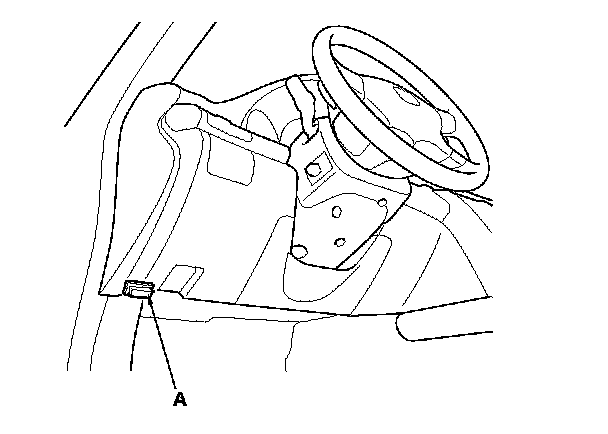
4. Connect the HDS to the data link connector (DLC) (A).
5. Turn the ignition switch to ON (II).
6. From the HDS Main Menu, select SRS, then Misc Test, then Calibration. In the Calibration Menu, select ODS INITIALIZATION. Follow the screen prompts to initialize the ODS unit.
7. Turn the ignition switch to LOCK (0).
8. Disconnect the HDS from the DLC.
NOTE: If the ODS unit fails to initialize after several attempts, replace the OPDS sensor/seat-back and retry. If the ODS unit continues to fail to initialize, replace the ODS unit. ODS Unit Replacement