Navigation System Forced Starting of Display (With Navigation)
Navigation System Forced Starting of Display
Special Tools Required
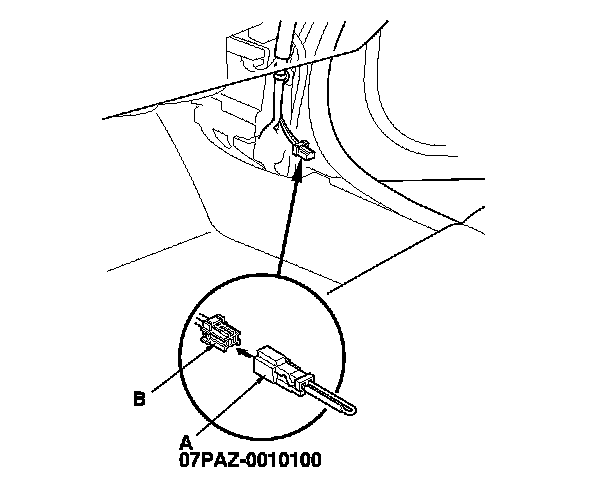
- SCS service connector 07PAZ-0010100
1. Turn the ignition switch to LOCK (0), or press the engine start/stop button to select the OFF mode.
2. Remove the right side kick panel. Interior Trim Removal/Installation - Front Door Sill Area
3. Connect the SCS service connector (A) to the navigation service connector (B) located by the passenger's kick panel.
4. Turn the ignition switch to ON (II), or press the engine start/stop button to select the ON mode.
5. Check that the diagnosis menu for the picture diagnosis starts up, and then changes to the system link menu.
NOTE: If the display fails to display the system link screen, refer to no picture is displayed. Symptom Troubleshooting