Diagnostic Procedure
- If power seats diagnostic system check was performed, go to next step. If power seats diagnostic system check was not performed, go to POWER SEATS DIAGNOSTIC SYSTEM CHECK
under SELF-DIAGNOSTIC TESTS.
- Connect scan tool to Data Link Connector (DLC). See Figure
. Turn ignition on. Using scan tool, select DRIVER DOOR SWITCH data list. Monitor MEMORY RECALL SWITCHES status. If MEMORY RECALL SWITCHES status is IDLE, go to next step. If MEMORY RECALL SWITCHES status is not IDLE, go to step 4
.
- Monitor MEMORY RECALL SWITCHES status. Press memory switch 1. If MEMORY RECALL SWITCHES status momentarily changes, check for intermittent or poor connections at switch. If MEMORY RECALL SWITCHES status does not change, go to next step.
- Turn ignition off. Disconnect memory switch connector. See Fig 1
. Turn ignition on. Monitor MEMORY RECALL SWITCHES status. If MEMORY RECALL SWITCHES status is not IDLE, go to next step. If MEMORY RECALL SWITCHES status is IDLE, go to step 7
.
- Check for short to ground in White wire between memory switch connector terminal No. 5 and Driver Door Switch Assembly (DDSA) connector terminal No. 3. See Fig 2
. If circuit is okay, go to next step. If faulty circuit is found and repaired, go to step 10
.
- Check for poor connections at DDSA connector. If connections are okay, go to step 8
. If faulty connections are found and repaired, go to step 10
.
- Check for poor connections at memory switch connector. If connections are okay, go to step 9
. If faulty connections are found and repaired, go to step 10
.
- Replace DDSA. See DRIVER DOOR SWITCH ASSEMBLY
under REMOVAL & INSTALLATION. After repairs, go to step 10
.
- Replace memory switch. See MEMORY SWITCH
under REMOVAL & INSTALLATION. After repairs, go to next step.
- Use scan tool to clear DTCs. Recheck memory system operation. Recheck for DTC. If DTC resets, go to step 2
. If DTC does not reset, repair is complete.
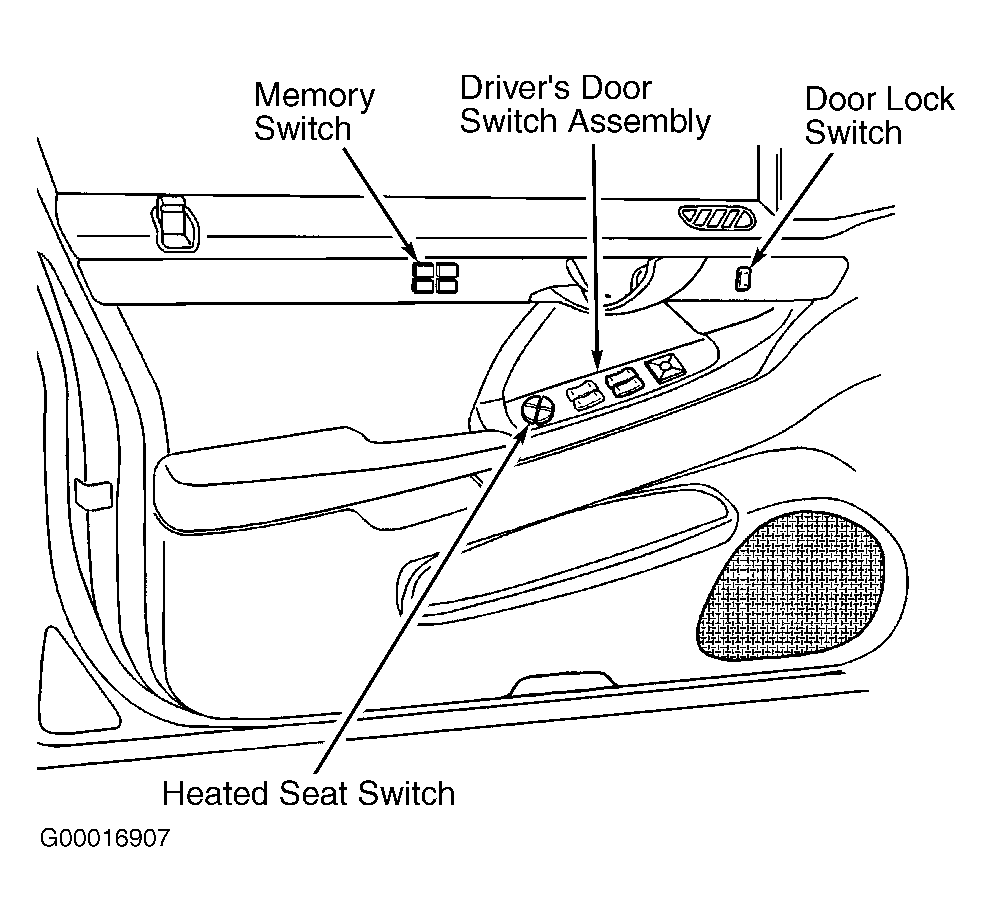 Courtesy of GENERAL MOTORS CORP.
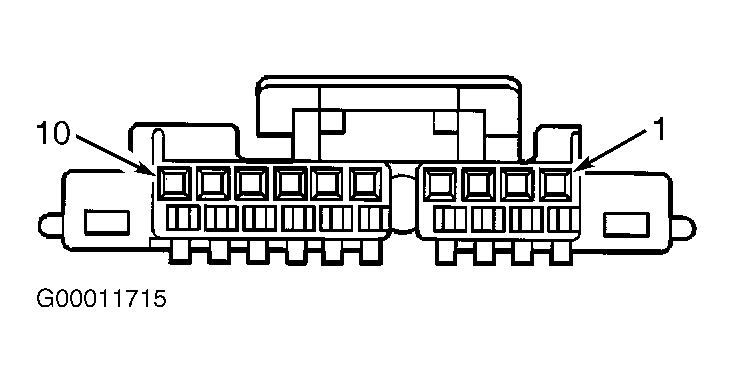 Courtesy of GENERAL MOTORS CORP.