Fuel Pressure Regulator Graphing
NOTE:
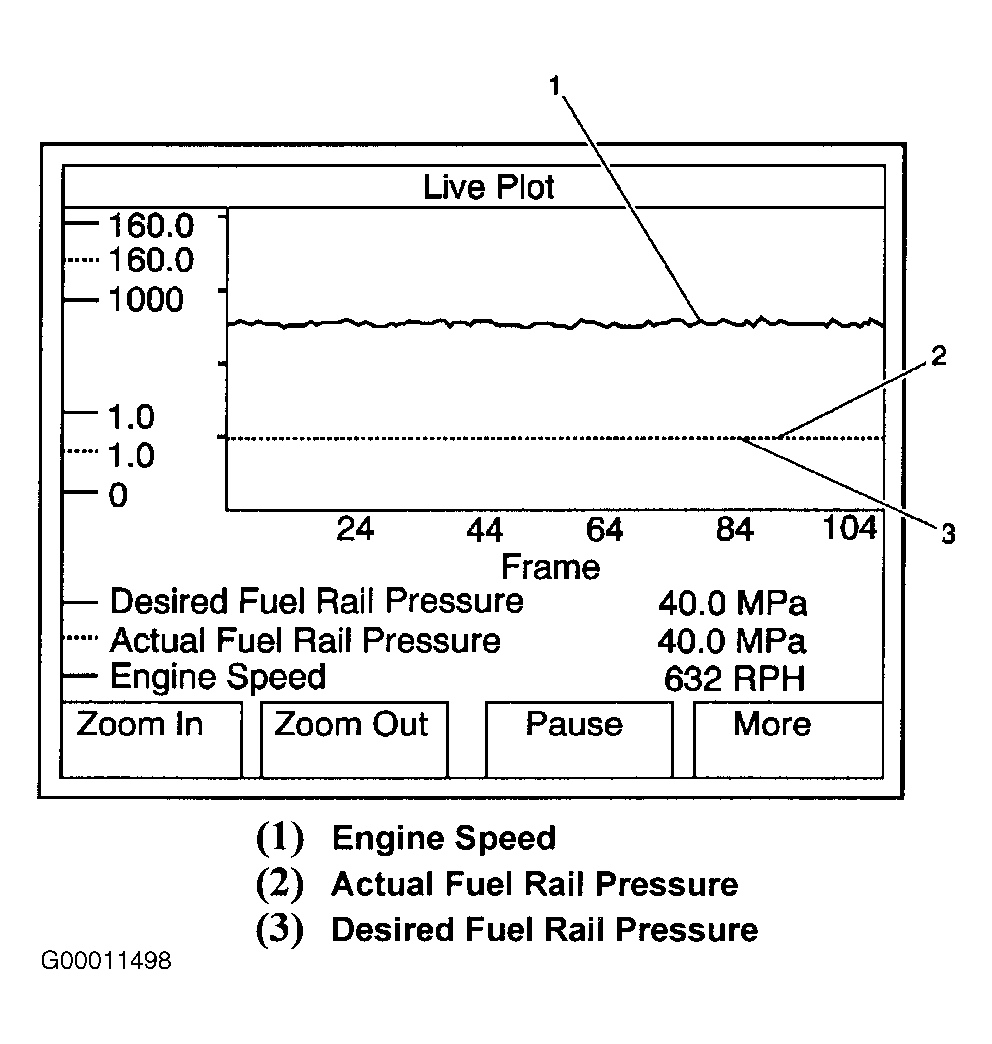
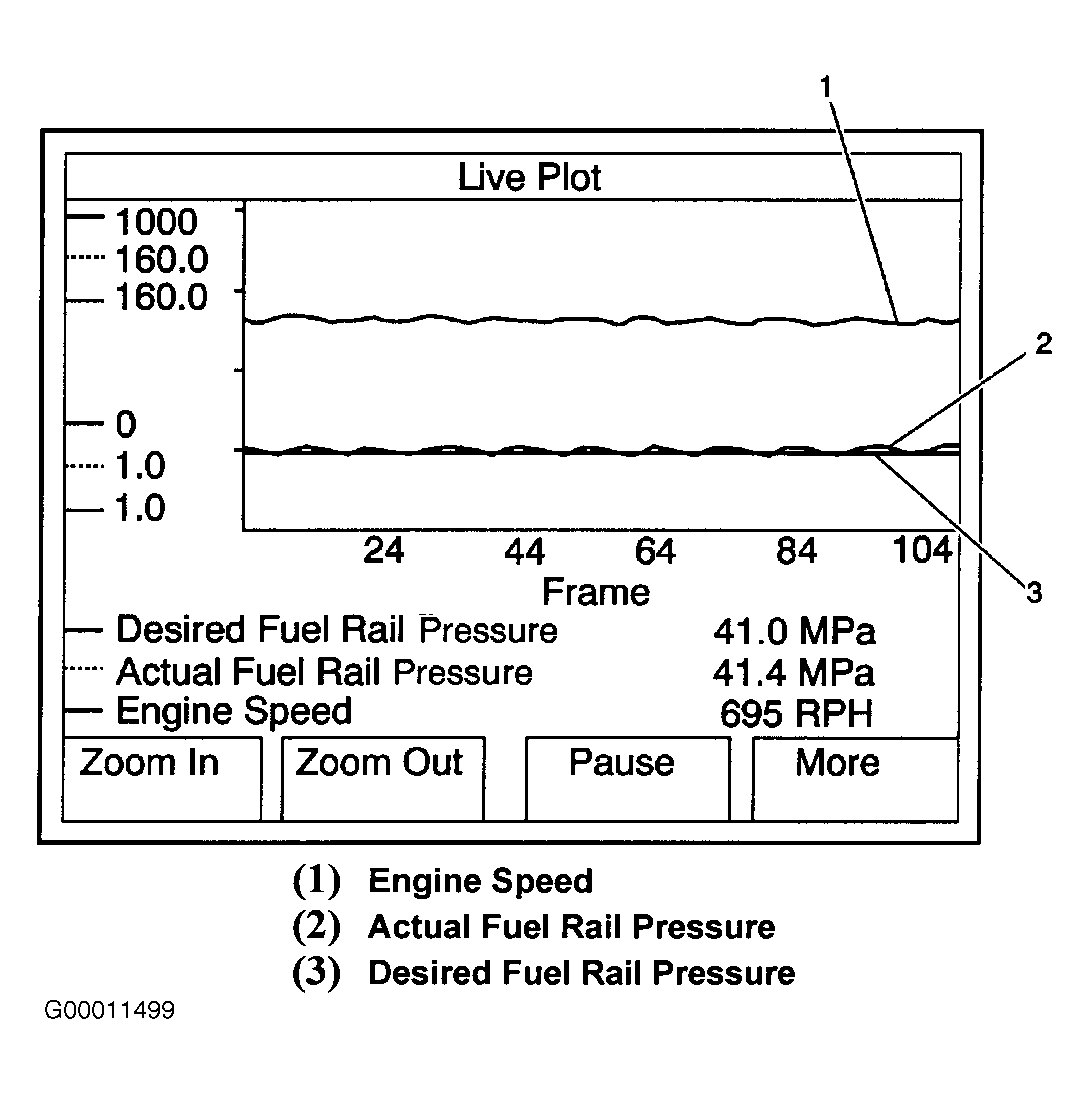
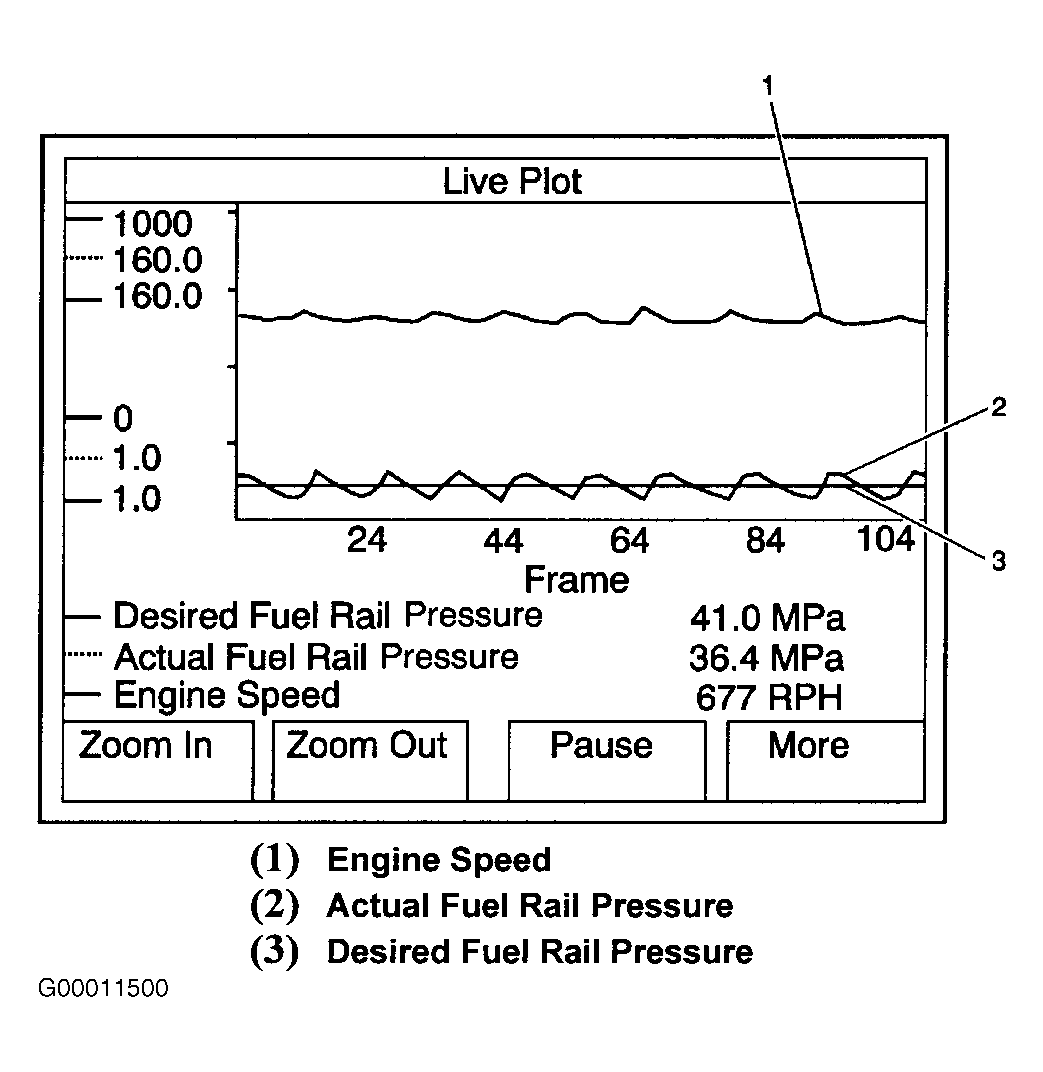
For fuel pressure regulator graphing examples using scan tool, see Fig 1-Fig 3
.
- Set up scan tool in the following format:
- Select Data Display on scan tool.
- Select Engine Data 1.
- Select More softkey 2 times.
- Select Live Plot softkey.
- Select Engine Speed, Actual Fuel Rail Pressure, and Desired Fuel Rail Pressure parameters by highlighting each parameter and depressing ENTER softkey.
- Select Accept softkey.
- Select More softkey, then select Change Min/Max softkey.
- Select More softkey, and adjust parameters to the following Min/Max ranges:
- Engine Speed Min/Max range is 0-1000 RPM.
- Actual Fuel Rail Pressure Min/Max range is 1-160 MPa.
- Desired Fuel Rail Pressure Min/Max range is 1-160 MPa.
- Start and idle engine.
- Observe live plot for sharp changes in Actual Fuel Rail Pressure above and below Desired Fuel Rail Pressure while performing one of the following actions:
- Idling engine.
- Shifting transmission from Park to Drive, and back to Park.
- Turning steering wheel from lock to lock.
- Turning air conditioning ON and OFF.
- If there is a violent fluctuation in Actual Fuel Rail pressure, as seen in Fig 3, replace fuel pressure regulator.
 Courtesy of GENERAL MOTORS CORP.
 Courtesy of GENERAL MOTORS CORP.
 Courtesy of GENERAL MOTORS CORP.