Electronic Brake Control Module Replacement
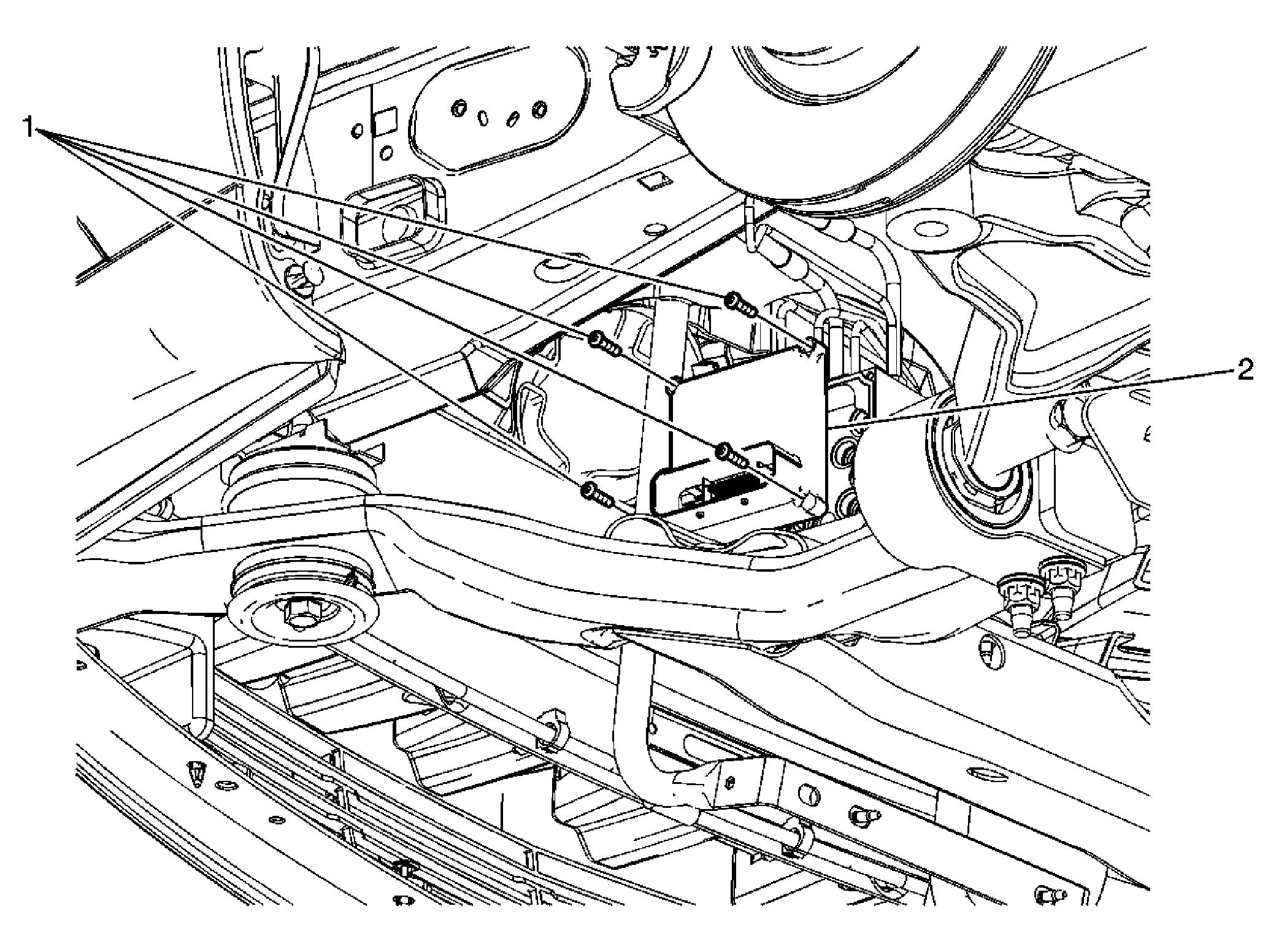 Courtesy of GENERAL MOTORS COMPANY
 Electronic Brake Control Module Replacement
| Callout |
Component Name |
CAUTION:
Always connect or disconnect the wiring harness connector from the EBCM/EBTCM with the ignition switch in the OFF position. Failure to observe this precaution could result in damage to the EBCM/EBTCM.
Preliminary Procedures
- Raise and support the vehicle. Refer to Lifting and Jacking the Vehicle
.
- Remove the left front tire and wheel. Refer to Tire and Wheel Removal and Installation
.
- Remove the left front inner wheelhouse liner. Refer to Front Wheelhouse Liner Replacement
.
- Thoroughly clean the area around the electronic brake control module (EBCM) of all dirt and debris.
|
| 1 |
Electronic Brake Control Module Bolts (Qty: 4)
Procedure
After the installation is complete, tighten the bolts in a cross pattern beginning with the upper left bolt.
Tighten
3 N.m (27 lb in) |
| 2 |
Electronic Brake Control Module Procedure
- Clean the sealing surfaces of the EBCM and the brake pressure modulator valve with denatured alcohol and a clean shop cloth.
- Disconnect the electrical connector from the electronic brake control module.
- If a new electronic brake control module is installed, program the electronic brake control module. Refer to Service Programming System (SPS)
.
- If a new electronic brake control module is installed, program the electronic brake control module. Refer to Control Module References
.
|