Navigation Control Processor Bracket Replacement 1
NAVIGATION CONTROL PROCESSOR BRACKET REPLACEMENT (TRAILBLAZER, ENVOY, BRAVADA)REMOVAL PROCEDURE
1. Remove the right rear seat cushion.
2. Remove the communication interface module.
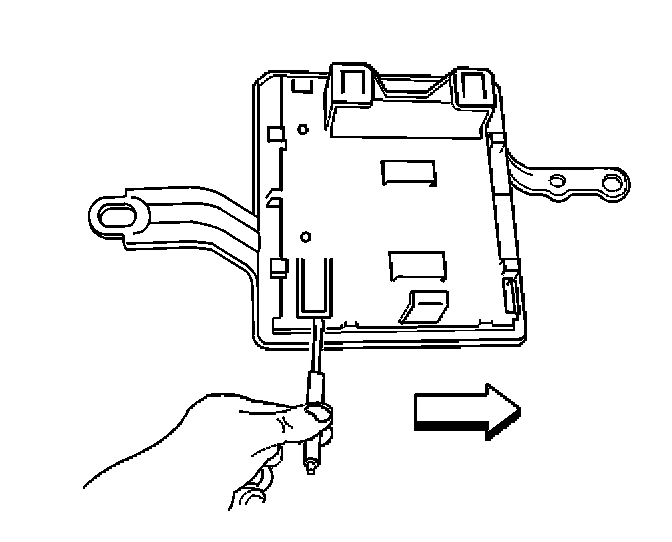
3. Using a flat bladed tool, release the retaining tab on the upper bracket.
4. Slide the upper bracket inboard until the retaining tabs are released from the processor bracket.
5. Remove the upper bracket from the processor bracket.
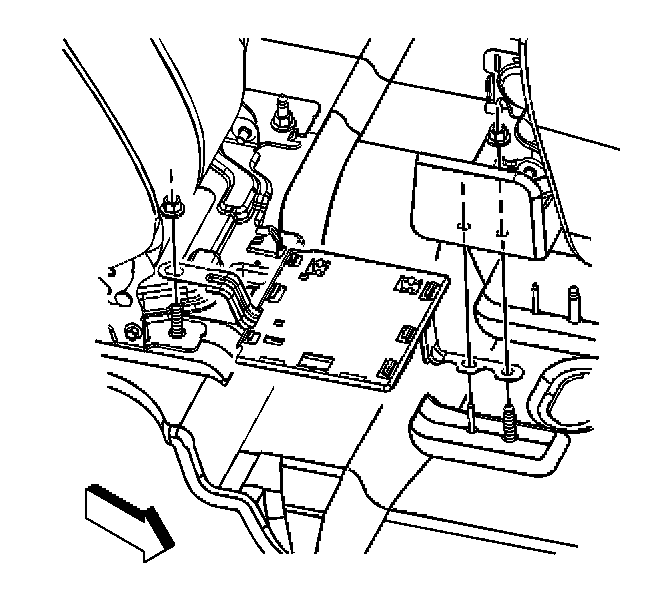
6. Remove the nut that retains the processor bracket to the rear seat back stud.
7. Remove the processor bracket from the vehicle.
INSTALLATION PROCEDURE
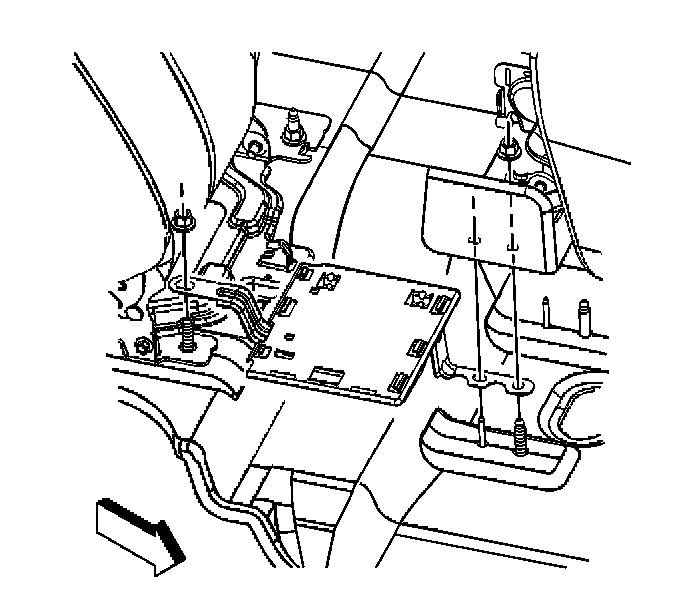
1. Install the processor bracket to the rear seat studs.
2. Install the nut to the rear seat back stud.
NOTE: Refer to Fastener Notice in Service Precautions.
Tighten
Tighten the nut to 45 N.m (33 lb ft).
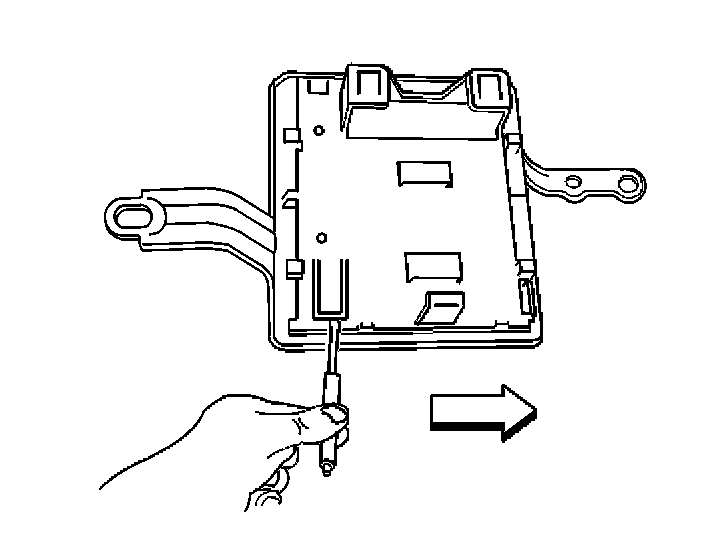
3. Position the upper bracket to the processor bracket.
4. Slide the upper bracket outboard until all the retaining tabs are seated to the processor bracket.
5. Install the communication interface module.
6. Install the right rear seat cushion.