Front Disc Brake Hardware Replacement
Front Disc Brake Hardware Replacement (With RPO LNF) (2.0 L)
Warning: Refer to Brake Dust Warning (Brake Dust Warning).
Removal Procedure
1. Raise and support the vehicle. Refer to Lifting and Jacking the Vehicle (Service and Repair).
2. Remove the tire and wheel. Refer to Tire and Wheel Removal and Installation (Service and Repair).
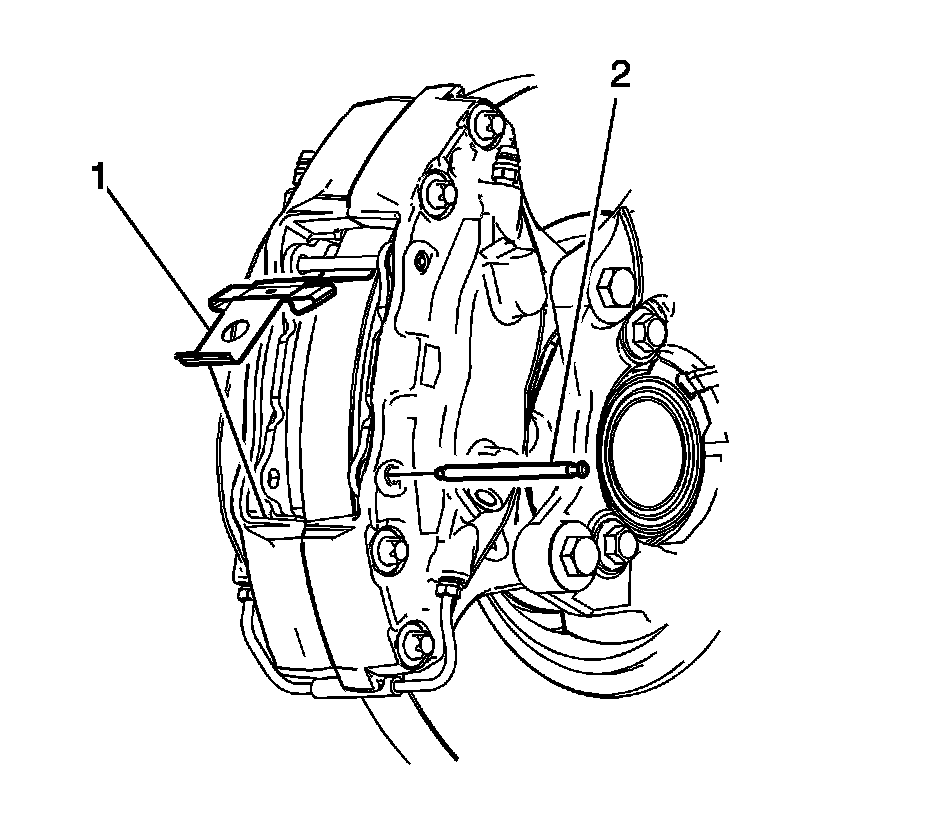
3. Holding the lower end of the retainer (1) down and using a hammer and punch carefully tap the lower caliper guide pin (2) inward out of the caliper.
4. Rotate the brake pad retainer upward and remove the brake pad retainer.
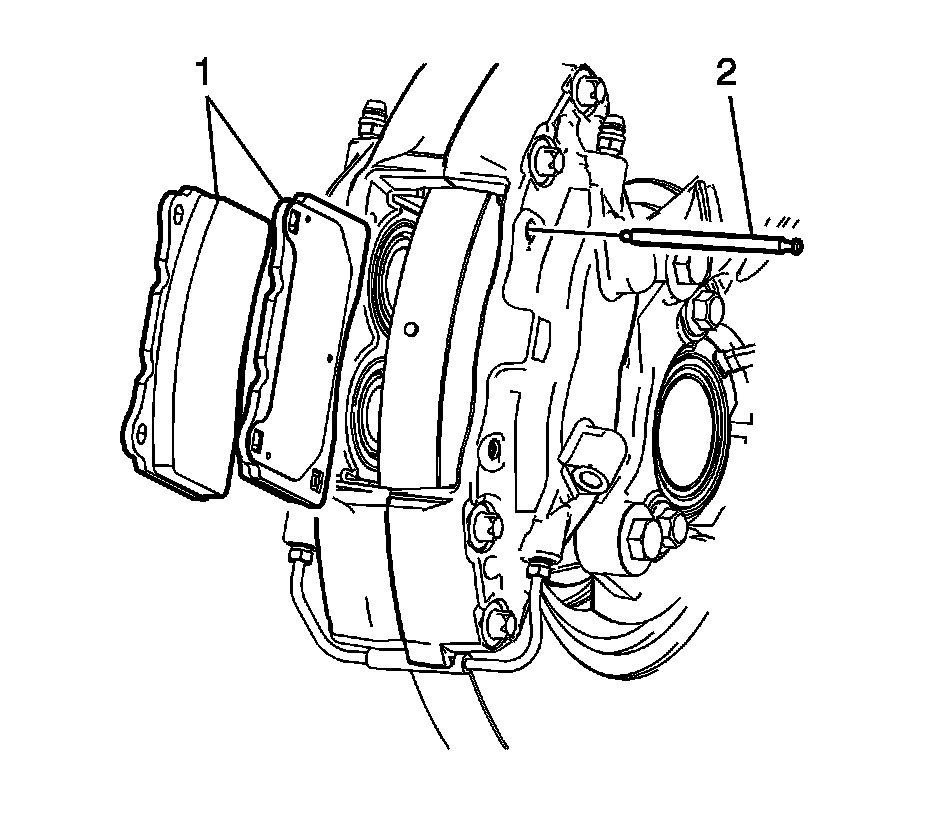
5. Using a hammer and punch carefully tap the upper caliper to brake pad mounting pin (2) inward out of the caliper.
6. Remove and inspect the brake pads (1). Refer to Brake Pad Inspection (Testing and Inspection).
Installation Procedure
1. Install the brake pads (1) to the caliper.
2. Install the upper caliper guide pin (2) through the caliper, inner and outer brake pads.
3. Using a hammer and punch seat the upper guide pin to the outer caliper half. Ensure the caliper guide pin is seated into the outer caliper pin seat.
4. Install the brake pad retainer (1) under the upper caliper pin assembly.
5. Rotate brake pad retainer downward.
6. Hold the brake pad retainer down and install the lower caliper guide pin (2) through the caliper, inner and outer brake pads.
7. Using a hammer and punch seat the upper guide pin to the outer caliper half. Ensure the caliper guide pin is seated into the outer caliper pin seat. Ensure the brake pad retainer is centered retaining both brake pads.
8. Install the tire and wheel. Refer to Tire and Wheel Removal and Installation (Service and Repair).