Calibrate The Compass Manually As Follows:
 Courtesy of CHRYSLER GROUP, LLC
- Start the engine but leave the vehicle in "PARK".
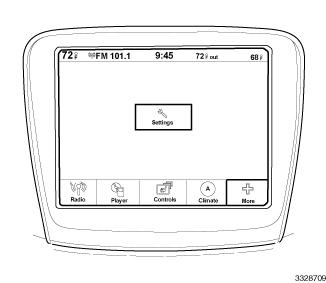
- Using the U-Connect Touch ™ screen, select SETTINGS
either from the hard controls on the sides of the screen, or from the menu selections at the bottom of the screen, depending on model.
- Scroll through the menu, and select CALIBRATE COMPASS
.
- Select ON
, the "CAL" symbol will come on solid in the EVIC display next to the compass direction that is displayed.
- Slowly drive the vehicle on a level surface, away from large metal objects and power lines, through one or two complete
circles not exceeding 8 km/h (5 mph). The "CAL" message will disappear from the display to indicate successful compass calibration.
- Confirm that the correct direction is now indicated by the compass.
- Press the BACK
button to return to the main menu.