Front Controls Interface Module (FCIM)
Front Controls Interface Module (FCIM)
Exploded View
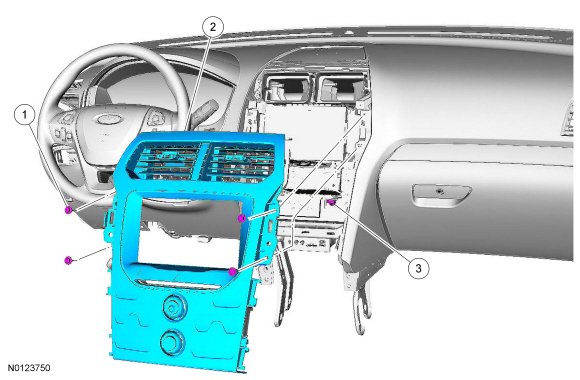

Removal
1. Remove the LH (Left Hand) and RH (Right Hand) finish panel. REFER to Instrument Panel - Exploded View.
2. Remove the 4 FCIM (Front Controls Interface Module) screws.
- To install, tighten to 2 Nm (18 lb-in).
3. Pull back on the FCIM (Front Controls Interface Module) starting at the bottom and working to the top to release the clips and remove the FCIM (Front Controls Interface Module).
1. Disconnect the electrical connector.
Installation
1. To install, reverse the removal procedure.