October 30: LEMON manuals on a temporary server, it is slow and having issues, download the manuals you need! Later in November we will switch back to the fast server.
PCM Replacement
- Connect the HDS to the data link connector (DLC) (A) located under the driver's side of the dashboard.
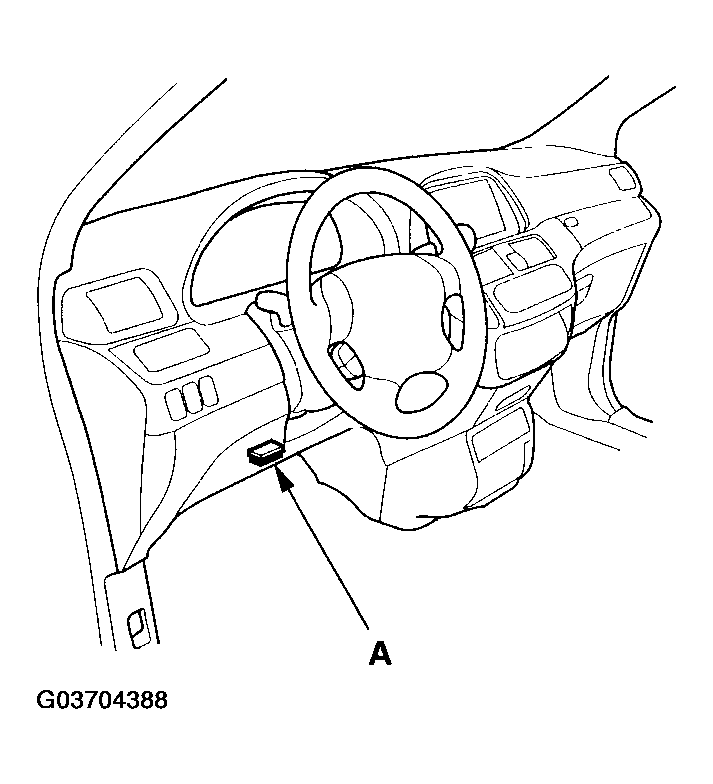 Courtesy of AMERICAN HONDA MOTOR CO., INC.
- Make sure the HDS communicates with the PCM. If it doesn't, skip steps 3 to 6 and 16 and clean the throttle body (see THROTTLE BODY TEST
) and replace the engine oil (see ENGINE OIL REPLACEMENT
) after this procedure.
- Turn the ignition switch ON (II).
- Select the INSPECTION MENU with the HDS.
- Do the TP POSITION CHECK in the ETCS TEST.
- US model: Select READ DATA in the REPLACE PCM with the HDS.
- Turn the ignition switch OFF.
- Jump the SCS line with the HDS.
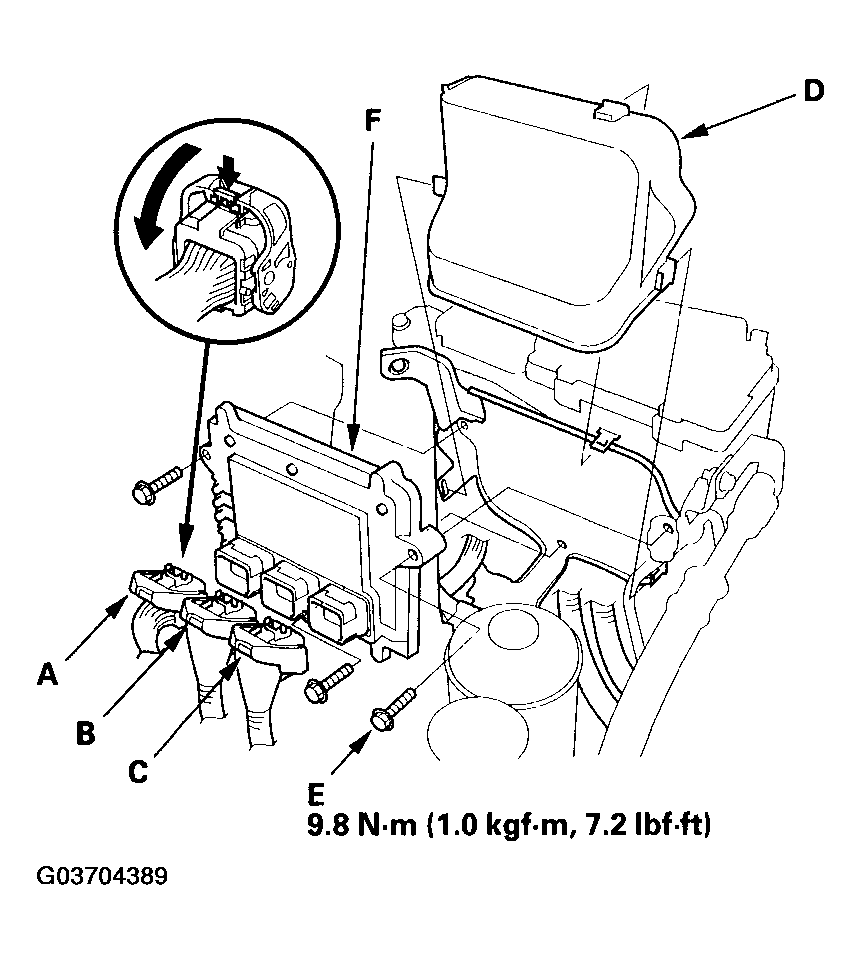
- Remove the cover (D).
 Courtesy of AMERICAN HONDA MOTOR CO., INC.
- Disconnect the PCM connectors (A), (B), (C).
NOTE:
PCM connector A, B, and C have symbols (A= square, B=triangle and C=circle) embosed on them for identification.
- Remove the bolts (E), then remove the PCM (F).
- Install the PCM in the reverse order of removal.
- Open the SCS with the HDS.
- Turn the ignition switch ON (II).
NOTE:
US model: DTC P0630 "VIN Not Programmed or Mismatch" may be stored because the VIN has not been programmed into the PCM; ignore it, and continue this procedure.
- US model: Input the VIN to the PCM with the HDS.
- US model: Select WRITE DATA in the REPLACE PCM with the HDS.
- Rewrite the immobilizer code with the PCM replacement procedure in the HDS; it allows you to start the engine.
- Reset the PCM with the HDS.
- Do the idle learn procedure (see PCM IDLE LEARN PROCEDURE
).
- Do the CKP pattern learn procedure (see CKP PATTERN CLEAR/CKP PATTERN LEARN
).