Entertainment System Control Panel: Service and Repair
Rear Controller and Screen Removal/InstallationNOTE:
- Put on gloves to protect your hands.
- Take care not to scratch the headliner and display cover.
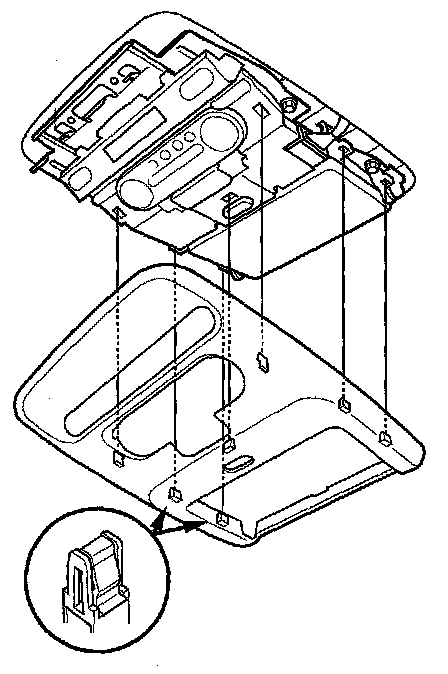
1. Remove the display cover.
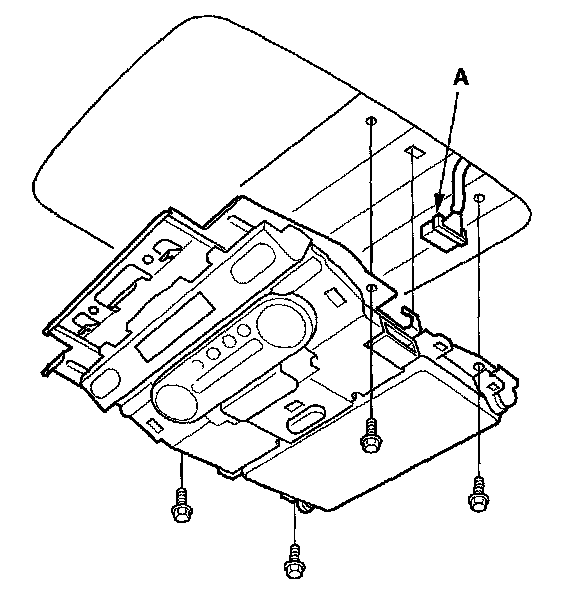
2. Remove the mounting bolts, disconnect the connector (A)from the rear controller and screen.
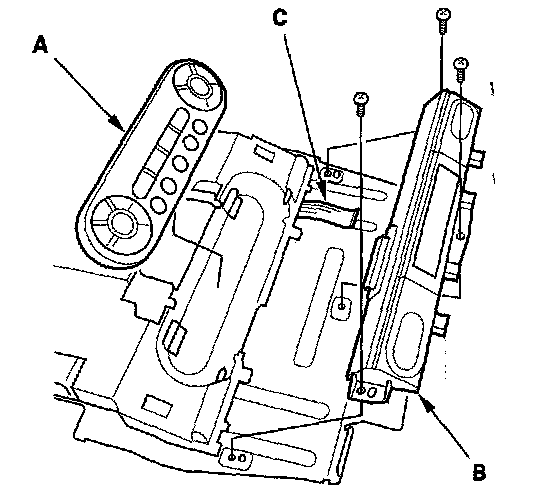
3. Remove the wireless remote control (A).
4. Remove the screws from the rear indicator (B).
5. Disconnect the cable (C) from the rear indicator.
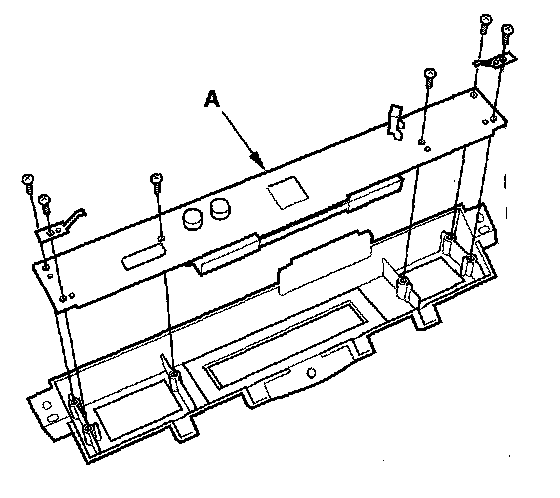
6. Remove the screws, then remove the rear indicator printed circuit card (A).
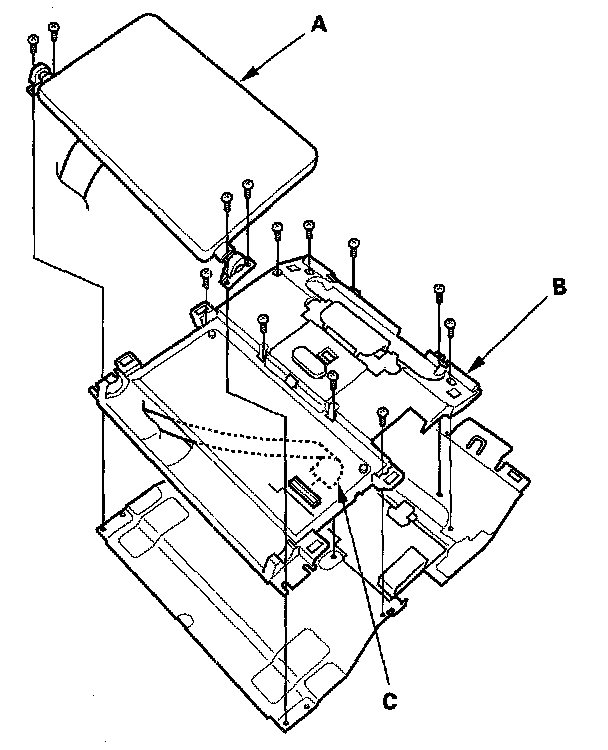
7. Remove the screws, then remove the screen (A) and base (B) Disconnect the cable (C).
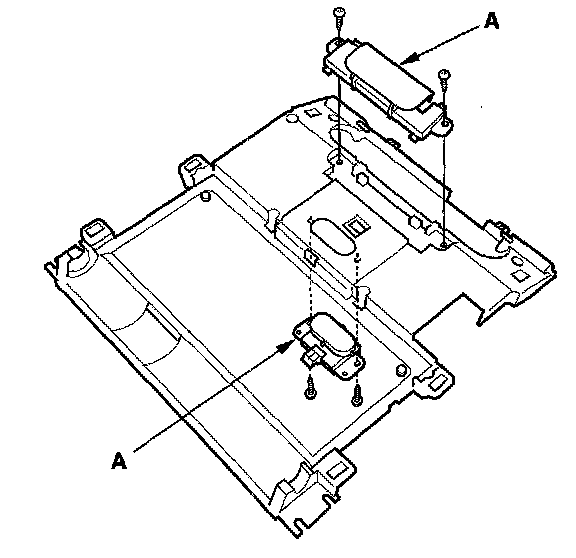
8. Remove the screws and lock switches (A).
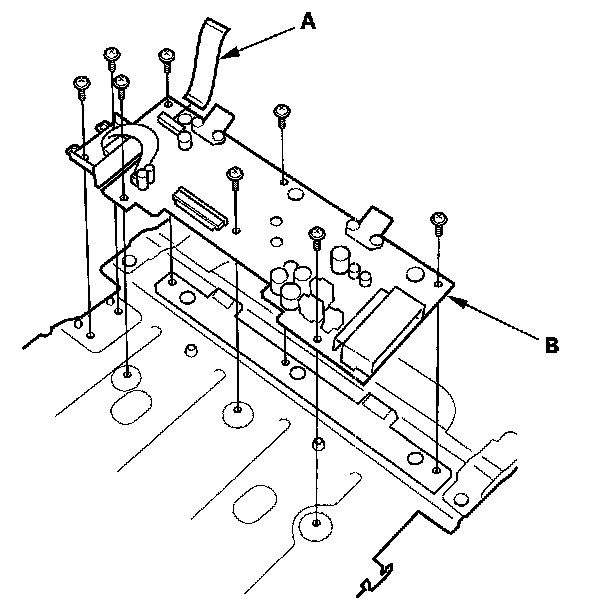
9. Disconnect the cable (A), then remove the screws and the rear control printed circuit card.
10. Install the parts in the reverse order of removal, and make sure the rear controller and screen connector is plugged in properly.