Smart Cruise Control (SCC) Radar Alignment
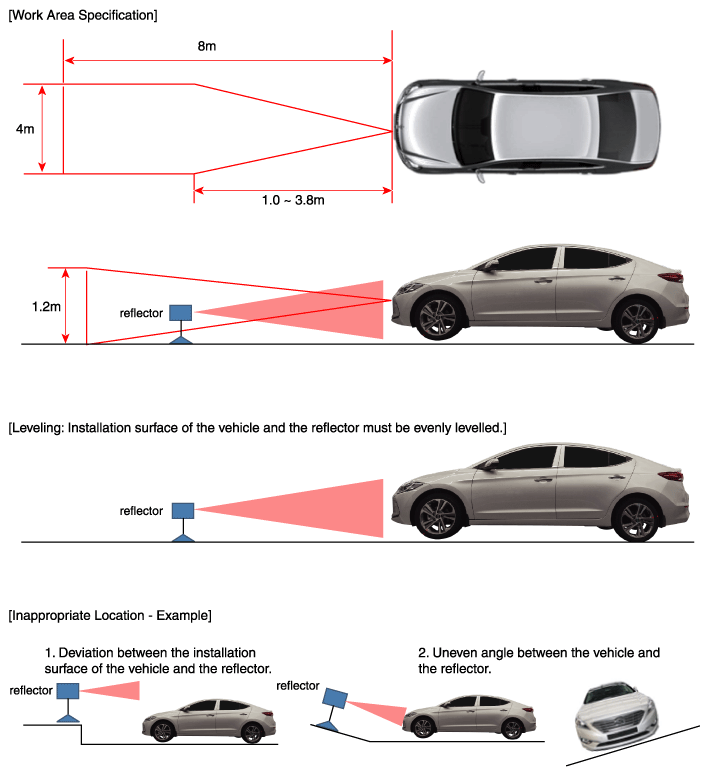
- Stop the vehicle horizontally at a flat place.
NOTE:
- Adjustment may not be accurate if the installation surface height and angle of the vehicle and reflector are different.
- Perform in an area with minimum clearance of 8m front, 4m sides, and 1.2m above the vehicle.
- Remove heavy objects from inside of the vehicle (seating area and trunk).
- Ensure that all tires are filled with specified air pressure.
- Remove objects (metal plates, resins, etc.) that may cause electric signal interference from the area where sensor alignment is performed.
- Be sure that the vehicle is not moved and free from vibration when performing sensor alignment (getting in/out or opening/closing doors).
- Check that radiator grill and sensor cover is not dirty.
- Check that the wheel alignment is normal.
- Do not turn OFF the power when performing sensor alignment.
- Power supplied to the radar sensor must be between 9V-16V.
- Temperature in the area where sensor alignment is performed must be between -30-60°C.
 Courtesy of HYUNDAI MOTOR AMERICA
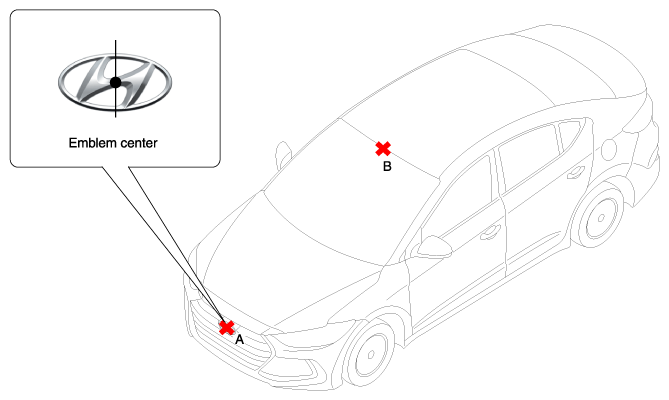
- Mark the center point of emblem (A) and the center point on top of wind glass (B).
 Courtesy of HYUNDAI MOTOR AMERICA
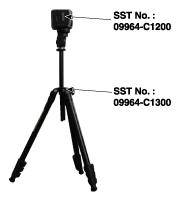
- Connect the SCC Calibration Laser (SST No.: 09964-C1200) to the Tri-Pod (SST No.: 09964-C1300).
 Courtesy of HYUNDAI MOTOR AMERICA
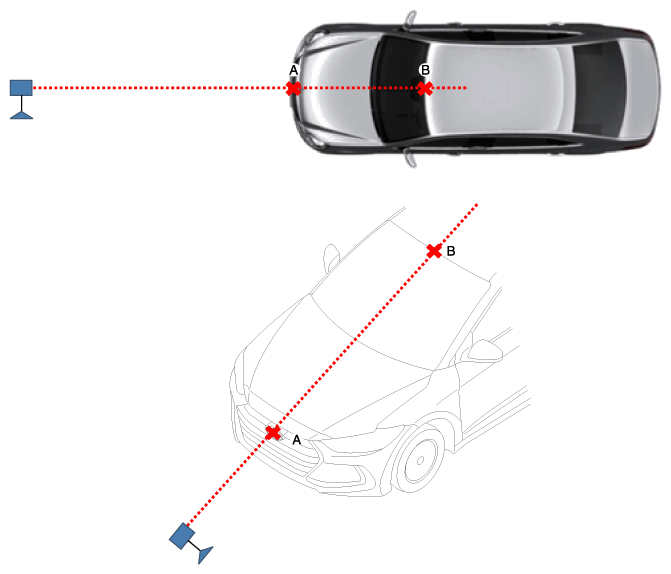
- Match the vertical line of laser to (A) and (B) using the SCC calibration laser pointer.
 Courtesy of HYUNDAI MOTOR AMERICA
- Mark (C) located in 1.0-3.8m from (A) in front of the vehicle.
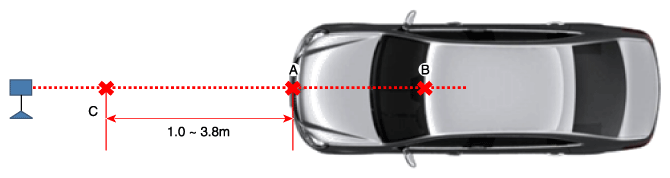 Courtesy of HYUNDAI MOTOR AMERICA
- Disconnect the SCC Calibration Laser (SST No.: 09964-C1200) from the Tri-Pod (SST No.: 09964-C1300).
- Align the vertical weight of the with the point (C).
- Connect the reflector (SST No.: 09964-C1100) to the tripod (SST No.: 09964-C1300) and set the reflector center height to 344mm.
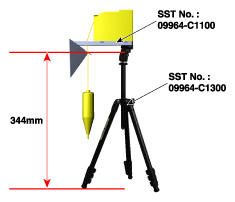 Courtesy of HYUNDAI MOTOR AMERICA
- Set the reflector horizontal using the leveler which is built in the tripod (SST No.: 09964-C1300).
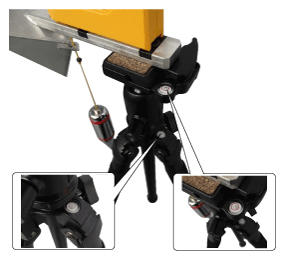 Courtesy of HYUNDAI MOTOR AMERICA
NOTE:
- Balance the level so that the bubble in the level is set between the spec lines.
- Remove the vertical weight.
NOTE:
- Visually check that the reflecting side of the reflector is levelled with the front of the vehicle.
- Check again the radar sensor and the surface of front bumper for the following items with the eyes.
NOTE:
- Make sure that there is no debris, or reflecting object on the surface of the radar.
- Make sure that there is no debris, or reflecting object on the radiator grill.
- Connect the GDS to the DLC of the vehicle and start sensor alignment.
NOTE:
- If the engine is running, the vibration may cause inaccurate sensor alignment, so perform sensor alignment in IG ON mode.
- After correctly selecting the vehicle model, select "SCC Alignment" from the auxiliary functions in GDS Menu.
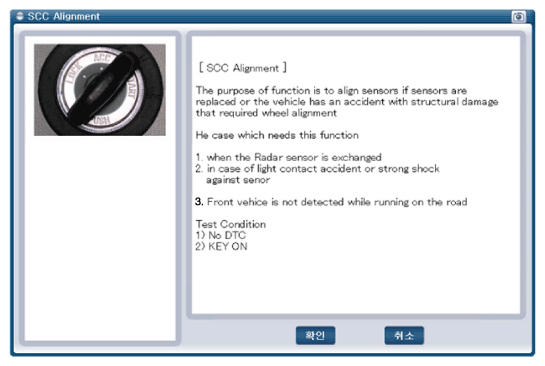 Courtesy of HYUNDAI MOTOR AMERICA
- Perform sensor alignment by following the directions shown in the GDS monitor.
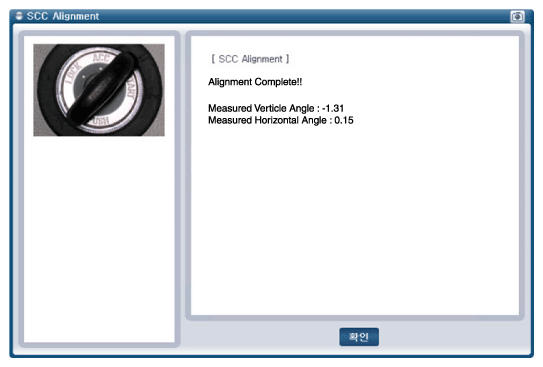 Courtesy of HYUNDAI MOTOR AMERICA
- In case of sensor alignment failure, check the alignment conditions. Turn the ignition key OFF, then re-perform the sensor alignment procedure.