Repair Procedures: Inspection
- Disconnect the negative (-) battery terminal.
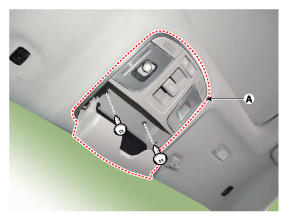
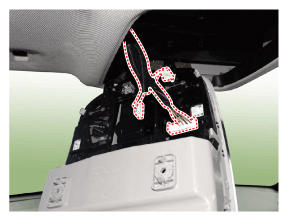
- Open the sunglass case cover from the overhead console and remove the 2 screws holding the overhead console. Disconnect the switch connector and Map lamp connector, and then remove the overhead console lamp (A).
 Courtesy of HYUNDAI MOTOR AMERICA
 Courtesy of HYUNDAI MOTOR AMERICA
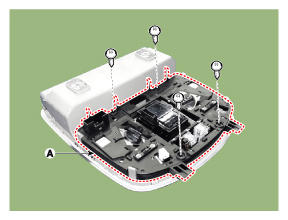
- Remove the overhead console cover (A) after loosening the screws.
 Courtesy of HYUNDAI MOTOR AMERICA
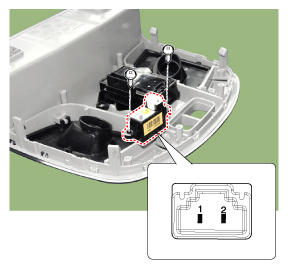
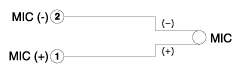
- Check the continuity of between terminals.
 Courtesy of HYUNDAI MOTOR AMERICA
 Courtesy of HYUNDAI MOTOR AMERICA