October 30: LEMON manuals on a temporary server, it is slow and having issues, download the manuals you need! Later in November we will switch back to the fast server.
Getting Started
- Before operating the Isuzu PCMCIA card with the Tech 2, the following steps must be performed:
- The Isuzu 98 System PCMCIA card (1) inserts into the Tech 2 (4)
- Connect the SAE 16/19 adapter (2) to the DLC cable (3).
- Connect the DLC cable to the Tech 2 (4).
- Make sure the vehicle ignition is off.
- Connect the Tech 2 SAE 16/19 adapter to the vehicle DLC.
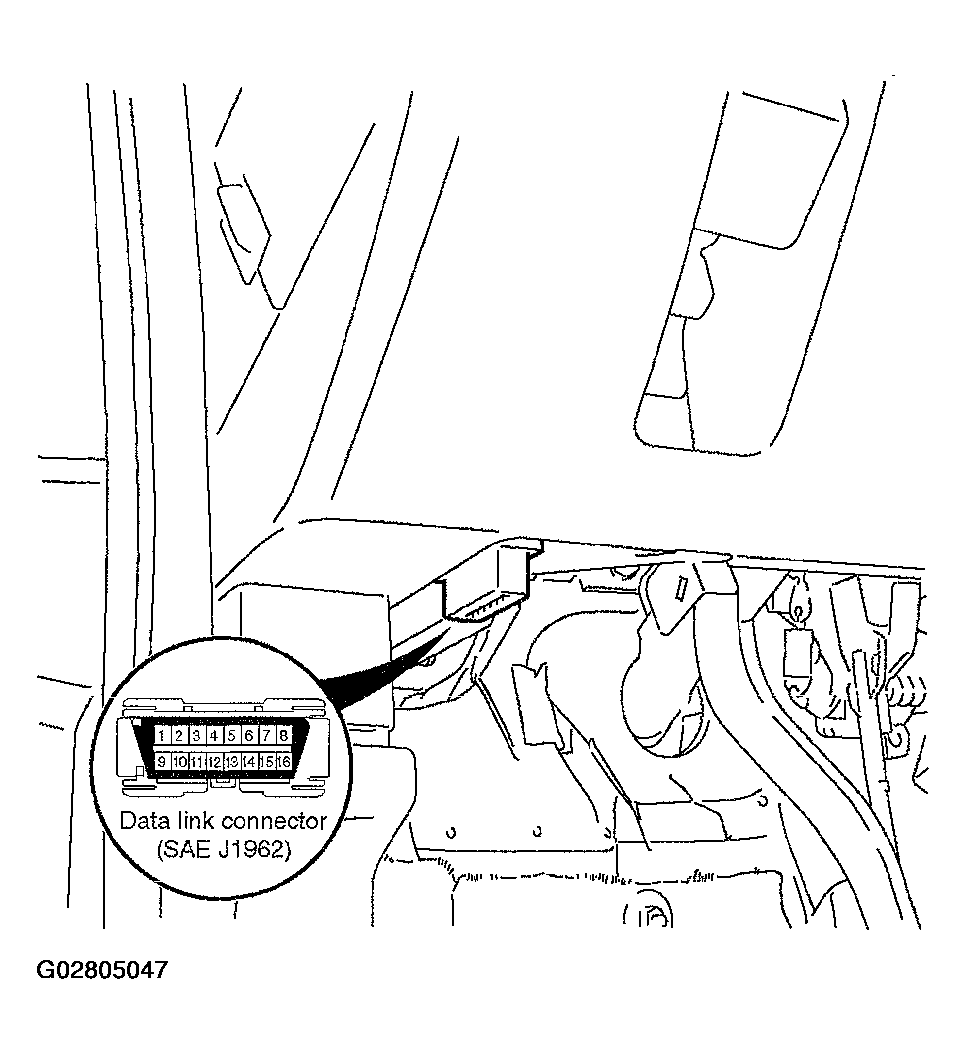 Courtesy of ISUZU MOTOR CO.
- The vehicle ignition turns on.
- Power up the Tech 2.
- Verify the Tech 2 power up display.
 Courtesy of ISUZU MOTOR CO.