Catalyst Monitor Sensor
Catalyst Monitor Sensor
Removal
1 Remove the cover and disconnect the battery ground cable. For additional information, refer to Specifications [1][2]Battery
2
WARNING: Do not work on or under a vehicle supported only by a jack. Always support the vehicle on safety stands.
Raise and support the vehicle.
3 Remove the exhaust system. For additional information, refer to Catalytic Converter Service and Repair
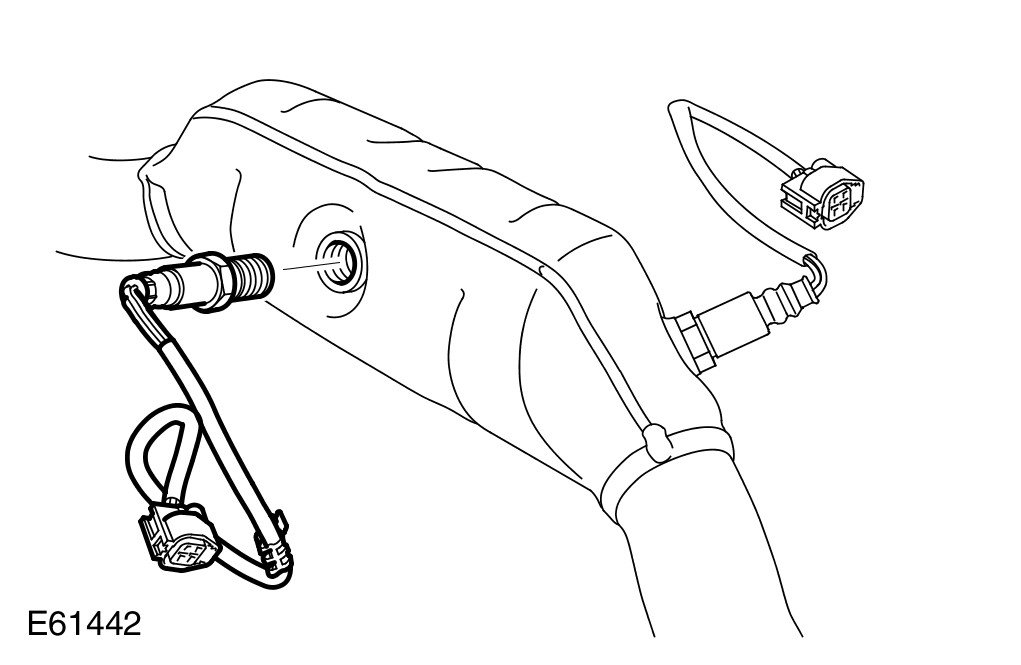
4 Remove the catalyst monitor sensor.
Installation
1
WARNING: Make sure the H02S wiring harness is not twisted more than 180 degrees and is not in contact with the exhaust.
CAUTION: Make sure the anti-seize compound does not contact the catalyst monitor sensor tip.
Install the catalyst monitor sensor and tighten to 45 Nm (33 lb.ft).
- Clean the component mating faces.
- Apply an anti-seize compound to the thread of the sensor.
2 Install the exhaust system. For additional information, refer to Catalytic Converter Service and Repair
3 Connect the battery ground cable and install the cover. For additional information, refer to Specifications [1][2]Battery