Version Verification
Checking for Map Data Version on Navigation Update ToolWARNING
DO NOT attempt to install Navigation Map Data prior to performing the "Navigation System Firmware Improvement" bulletin.
^ L-SB-0067-09- Generation 5
^ L-SB-0147-11- Generation 6
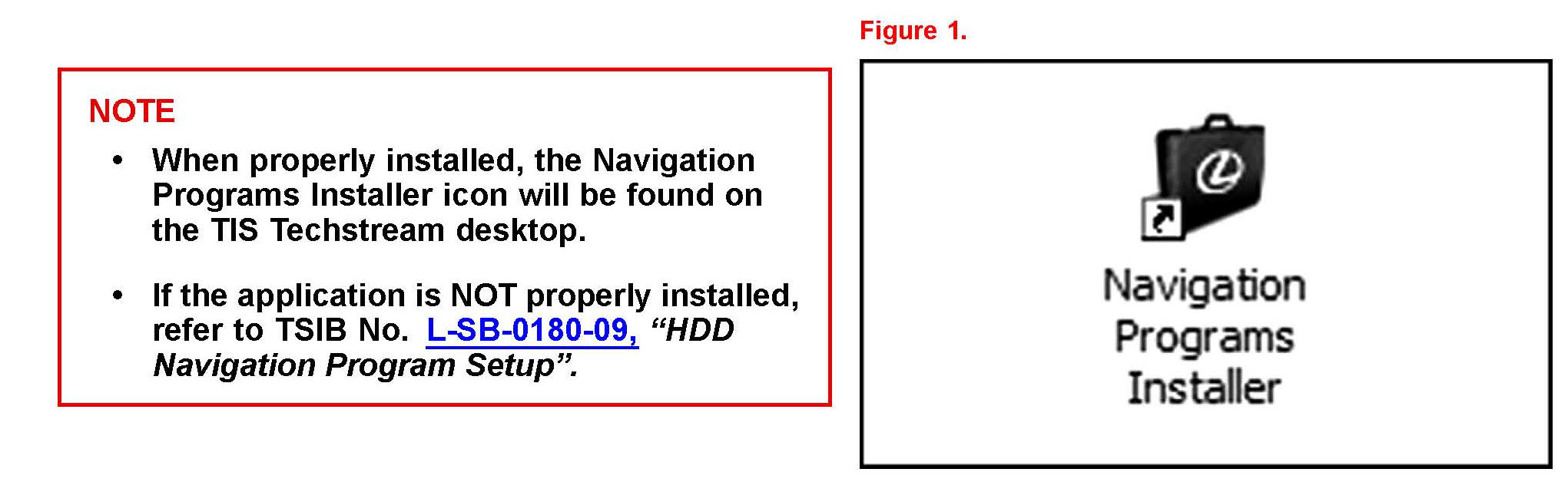
1. Open the Navigation Programs Installer.
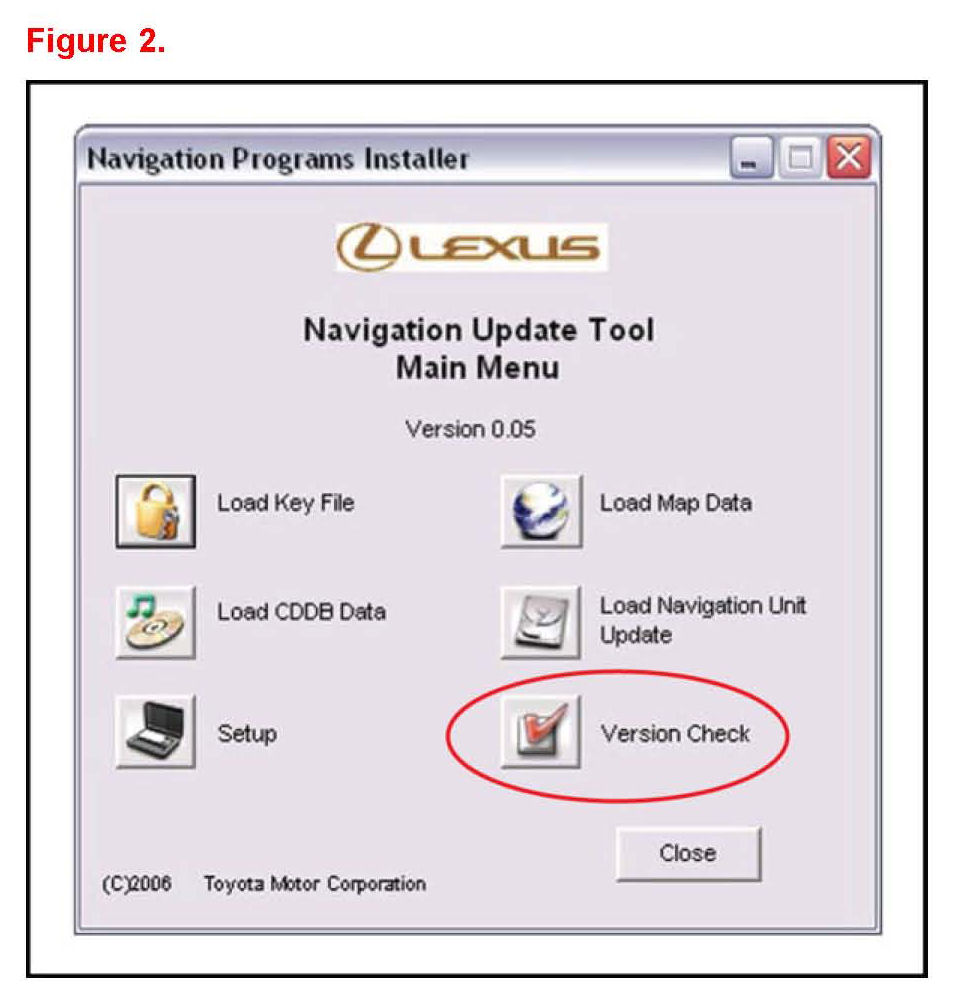
2. Click Version Check on the Navigation Update Tool Main Menu.
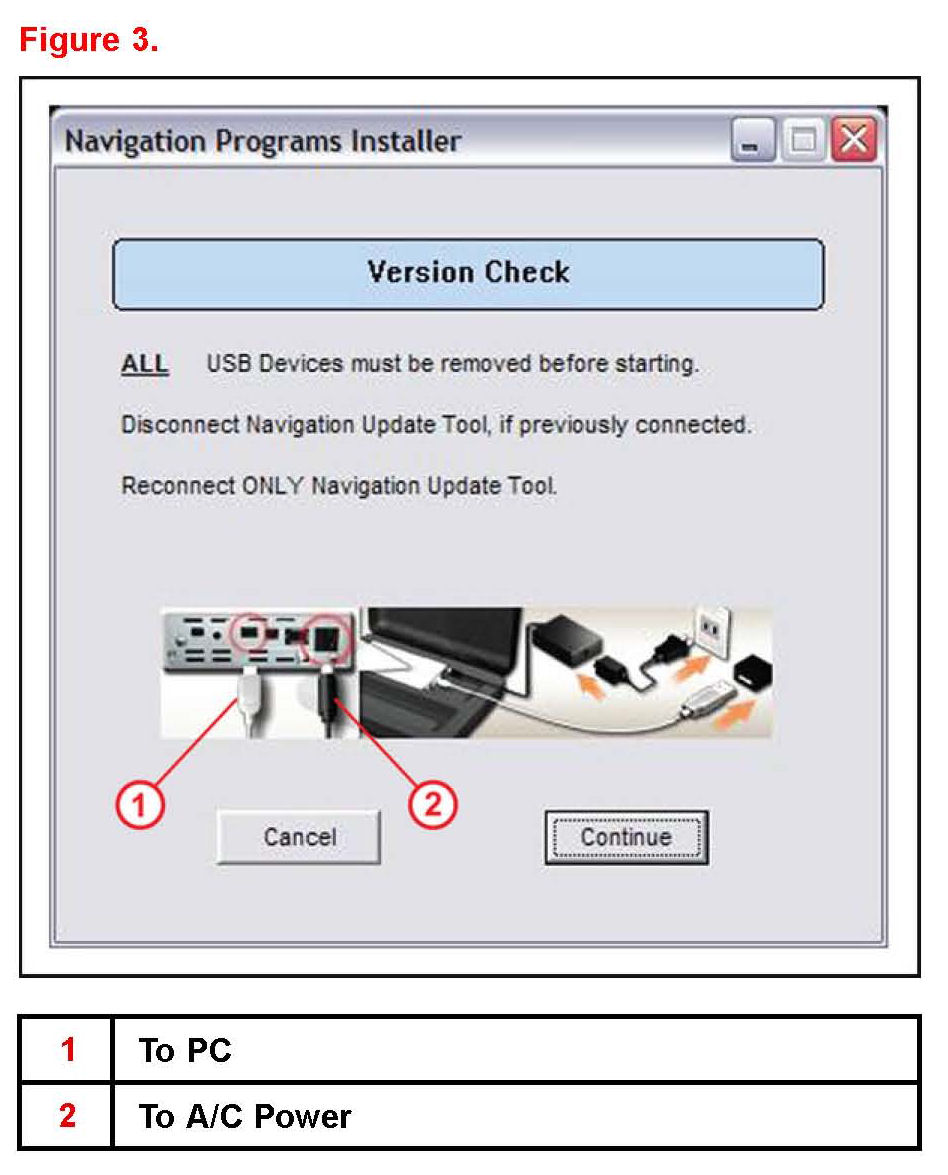
3. Connect the Navigation Update Tool.
A. Make sure the USB cable is secured in both the PC and the Navigation Update Tool USB ports.
B. Confirm that the Navigation Update Tool is powered correctly.
C. Turn power ON.
D. Press Continue.
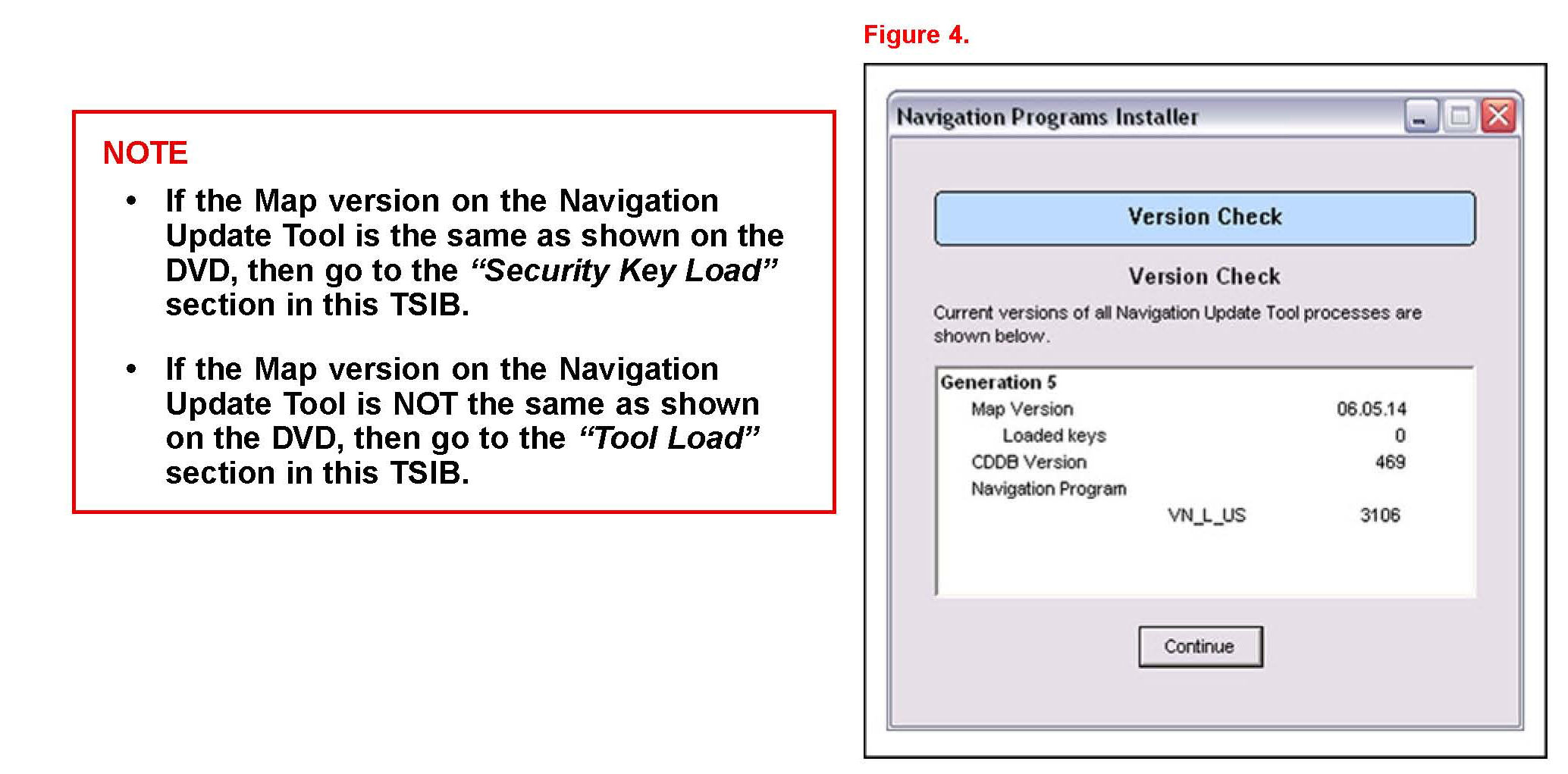
4. Compare the CDDB version with the CDDB version shown on TIS.
Checking Map Data Version on Vehicle HDD Navigation System (Generation 5)
1. Turn vehicle ignition ON (engine OFF).
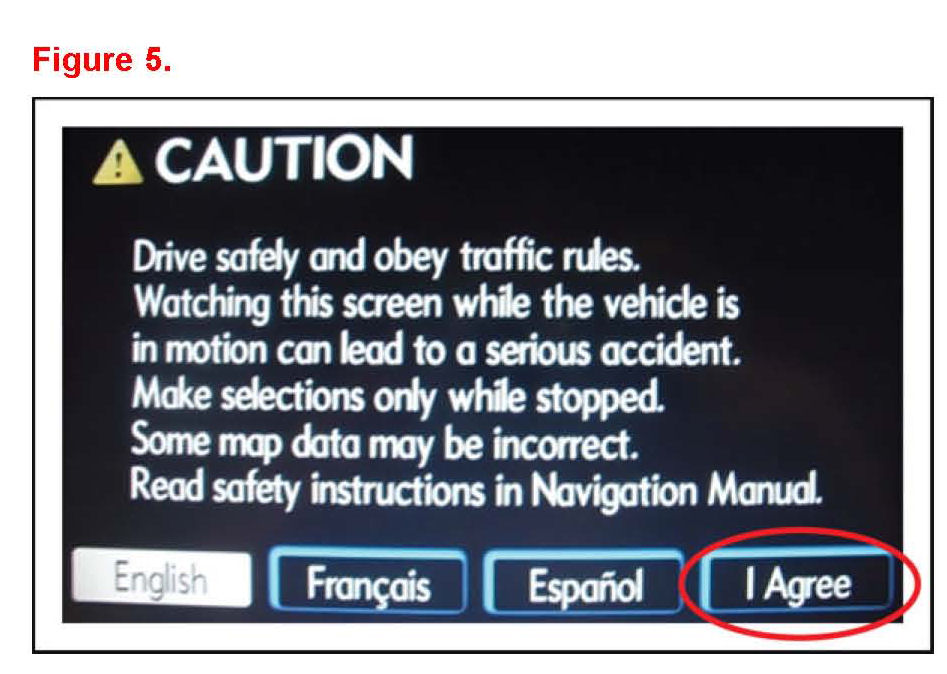
2. From the multi-information display, press I Agree.
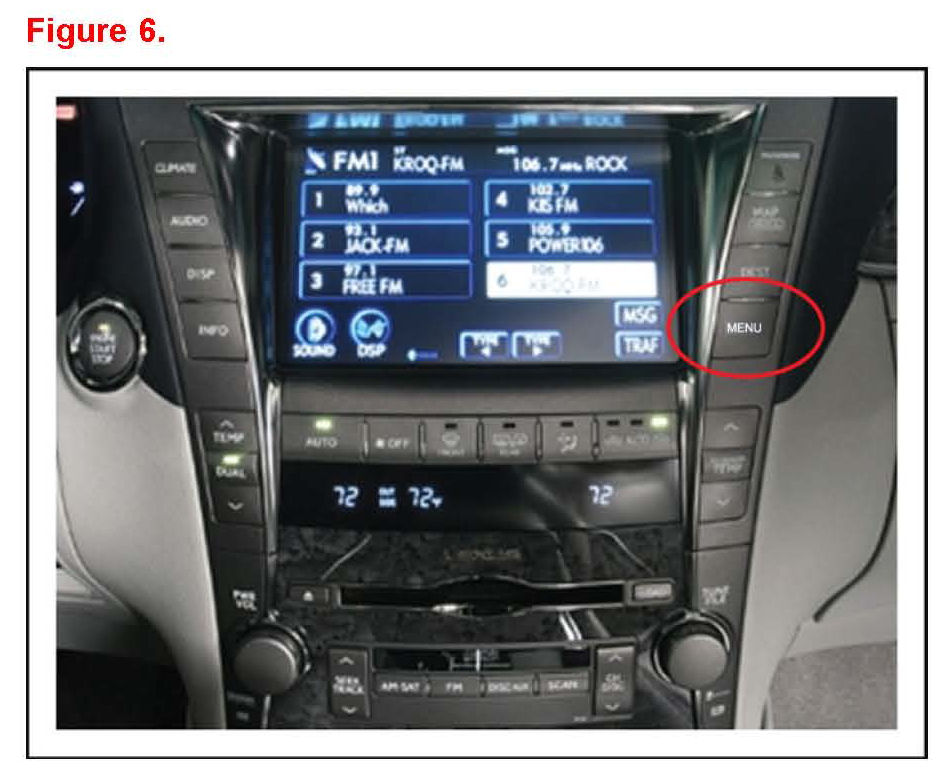
3. Press the MENU button.
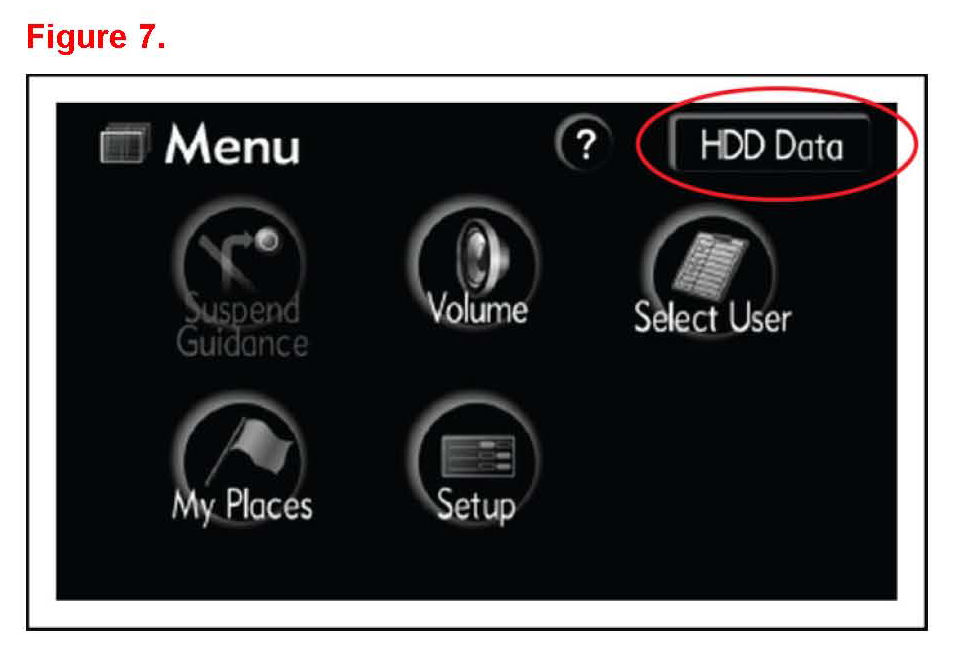
4. From the multi-information display, press HDD Data.
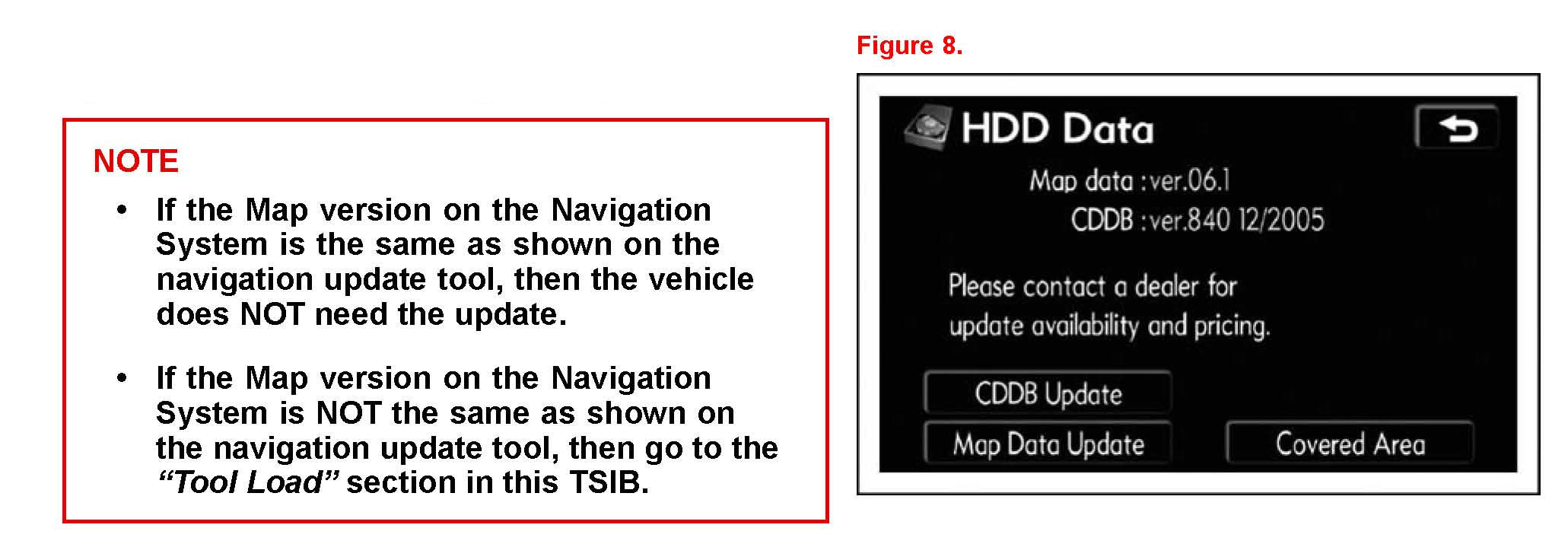
5. Compare the Map Data version on the Navigation System to that on the Navigation Update Tool.
Checking Map Data Version on Vehicle HDD Navigation System (Generation 6)
1. Turn vehicle ignition ON (engine OFF).
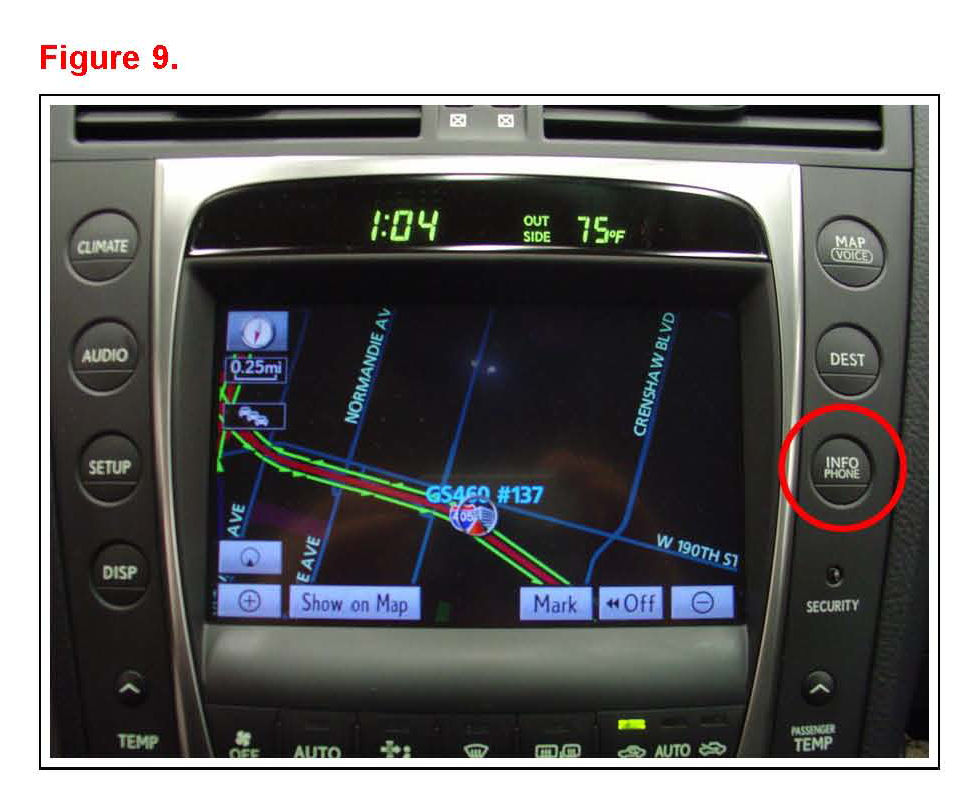
2. Press the INFO/PHONE button.
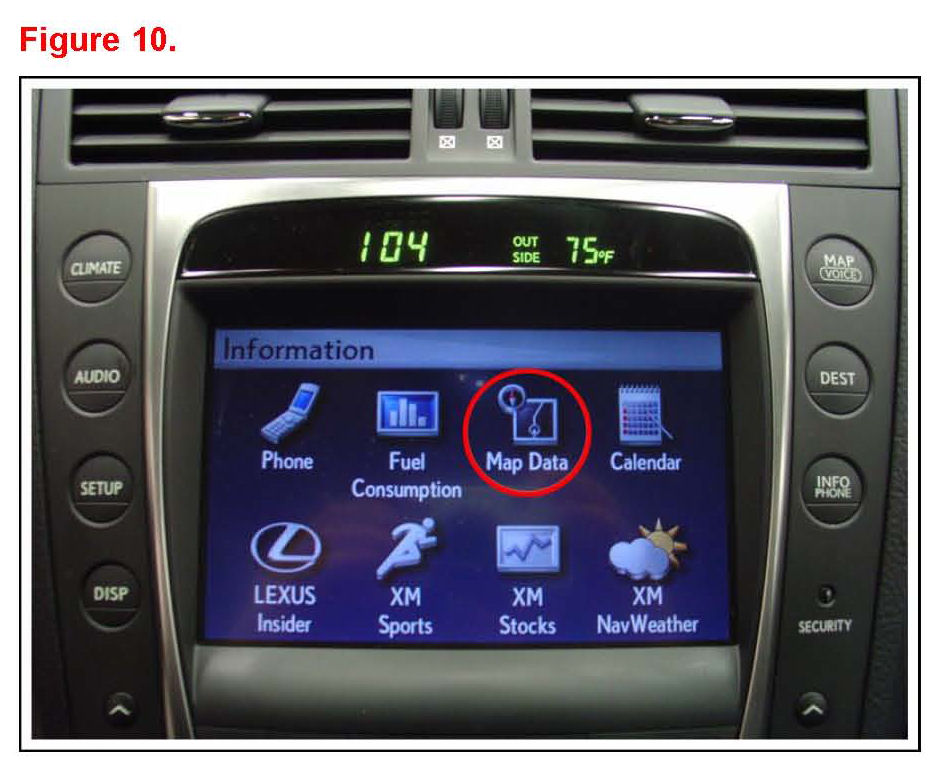
3. From the multi-information display press Map Data
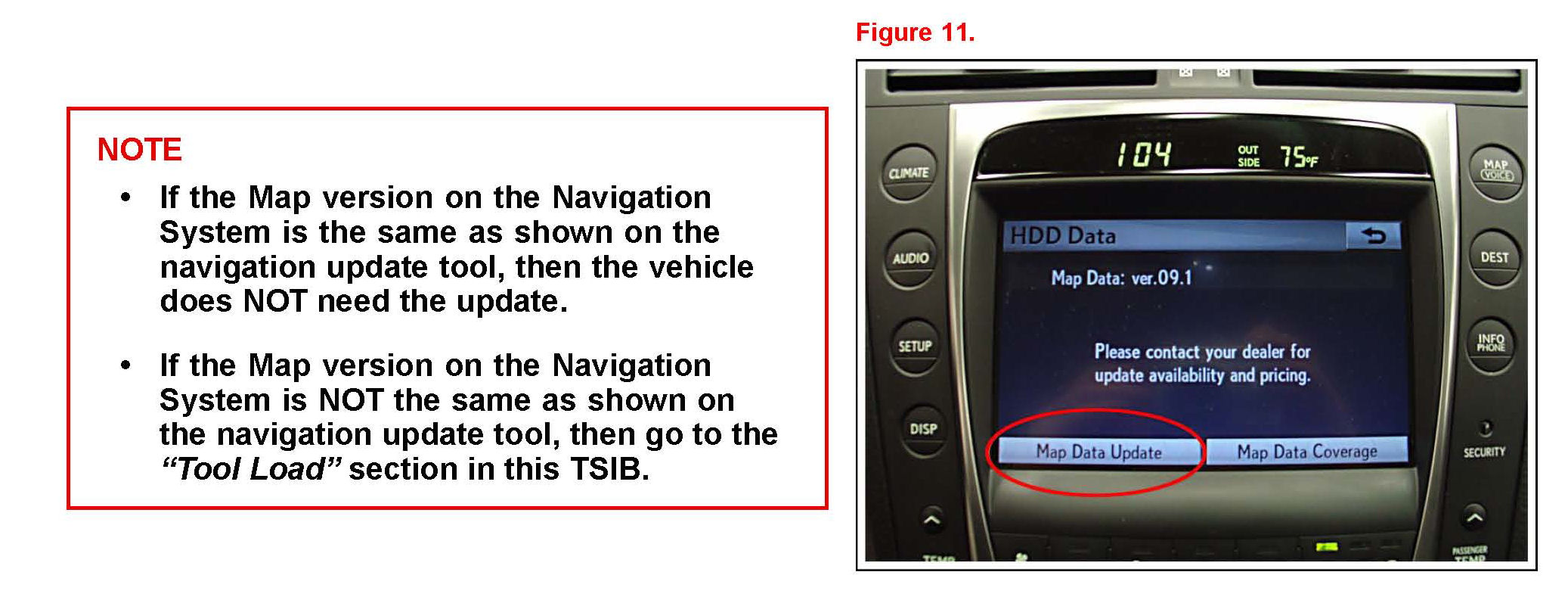
4. Compare the Map Data version on the Navigation System to that on the Navigation Update Tool.