With Car-Navigation Unit
WARNING: This page is about a different car, the 2009 Mazda 6. However, it is still accessible from the selected car via links, so may be relevant.
- Switch the ignition to ACC or ON.
- Turn the car-navigation unit power to ON
- Press the DISP switch (panel switch).
- Select "SETTINGS".
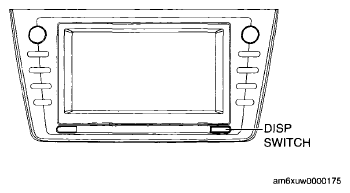 Courtesy of MAZDA MOTORS CORP.
- Select "ON" or "OFF".
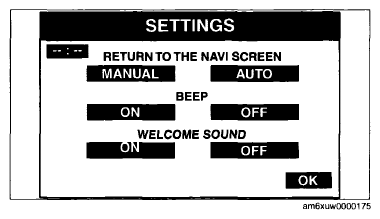 Courtesy of MAZDA MOTORS CORP.