October 30: LEMON manuals on a temporary server, it is slow and having issues, download the manuals you need! Later in November we will switch back to the fast server.
PCM Removal/Installation
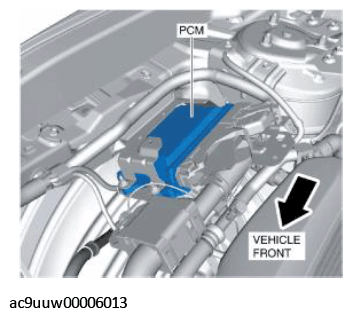 Courtesy of MAZDA MOTORS CORP. Courtesy of MAZDA MOTORS CORP.
|
- Disconnect the negative battery terminal. (See NEGATIVE BATTERY TERMINAL DISCONNECTION/CONNECTION
.)
- Disconnect the PCM connectors. (See PCM CONNECTOR CONNECTION NOTE .)
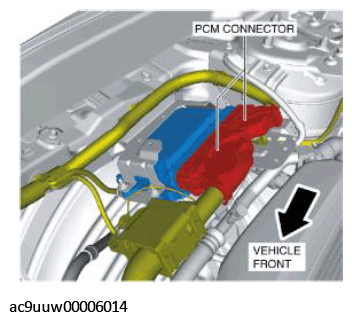 Courtesy of MAZDA MOTORS CORP. Courtesy of MAZDA MOTORS CORP.
|
- Remove the clips from the PCM bracket.
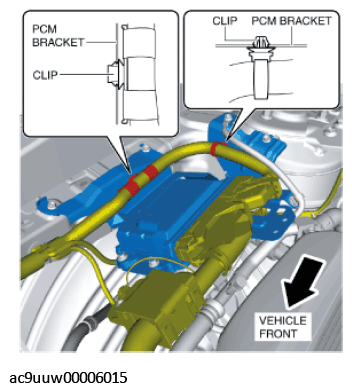 Courtesy of MAZDA MOTORS CORP. Courtesy of MAZDA MOTORS CORP.
|
- Loosen the bolt.
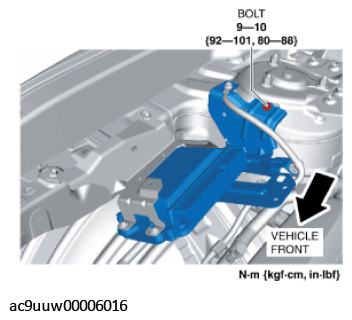 Courtesy of MAZDA MOTORS CORP.
- Remove the bolts. (See PCM BRACKET INSTALLATION NOTE .)
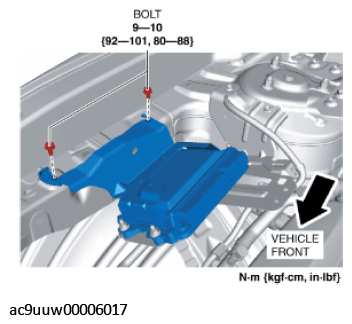 Courtesy of MAZDA MOTORS CORP.
- Remove the nuts.
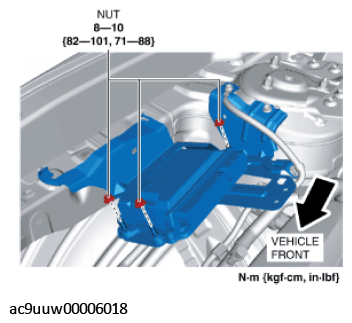 Courtesy of MAZDA MOTORS CORP.
- Remove the PCM bracket. (See PCM BRACKET TEMPORARY INSTALLATION NOTE .)
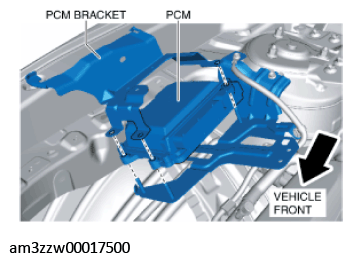 Courtesy of MAZDA MOTORS CORP. Courtesy of MAZDA MOTORS CORP.
|
- Remove the PCM.
- Remove the bolt.
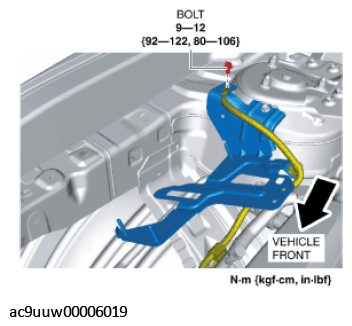 Courtesy of MAZDA MOTORS CORP.
- Remove the clip from the PCM bracket.
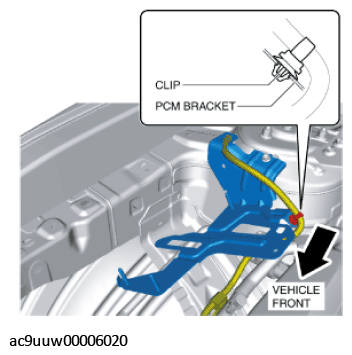 Courtesy of MAZDA MOTORS CORP. Courtesy of MAZDA MOTORS CORP.
|
- Remove the bolt. (See PCM BRACKET INSTALLATION NOTE .)
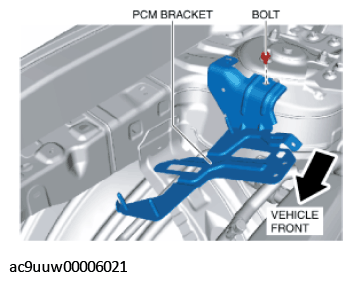 Courtesy of MAZDA MOTORS CORP. Courtesy of MAZDA MOTORS CORP.
|
- Remove the PCM bracket.
- Install in the reverse order of removal.
- When replacing the PCM on the vehicles, perform the following: