Transponder Lock Check
TRANSPONDER LOCK CHECKRequired Special Tool:
- MB991502: Scan Tool (MUT-II)
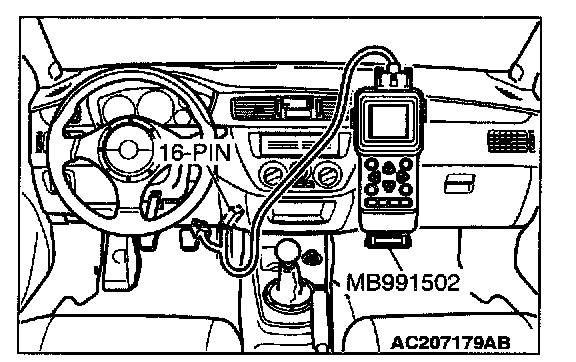
1. Connect scan tool MB991502 to the 16-pin data link connector.
2. Insert the key to be checked and turn the ignition switch to "ON" position.
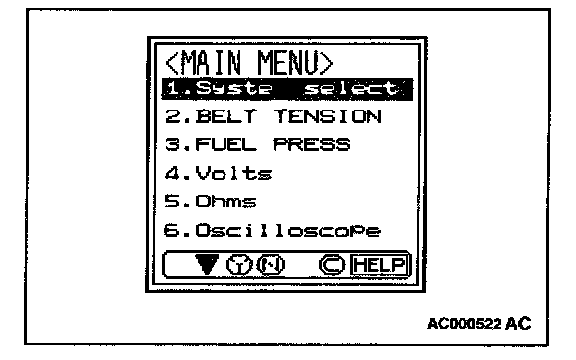
3. At "System Select," press "YES."
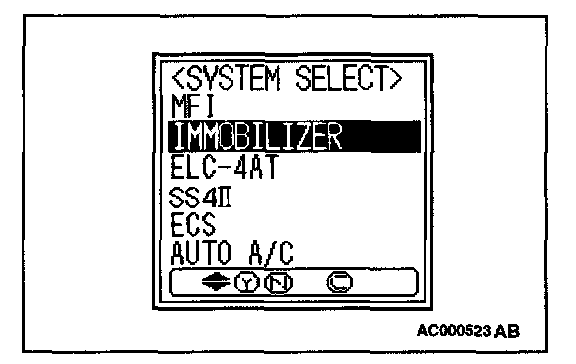
4. Select "Immobilizer," press "YES".
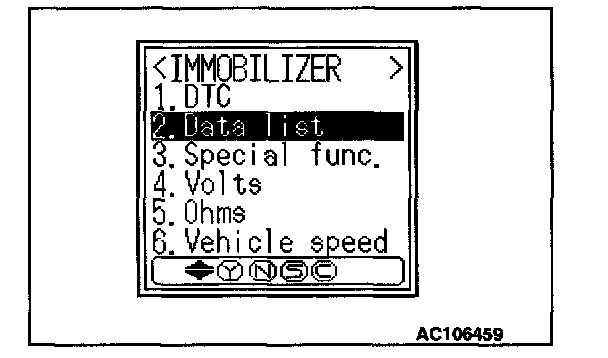
5. Select "Data list" press "YES".
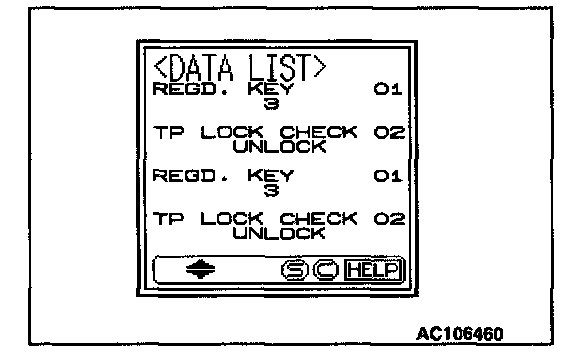
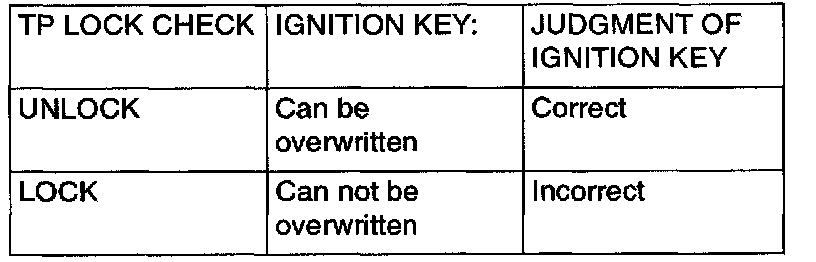
6. Confirm "TP LOCK CHECK." Repeat this check for an other keys to be registered.
Required Special Tools:
- MB991958: Scan Tool (MUT-III Sub Assembly)
- MB991824: V.C.I.
- MB991827: USB Cable
- MB991911: Main Harness B
CAUTION: To prevent damage to scan tool MB991958, always turn the ignition switch to "LOCK" (OFF) position before connecting or disconnecting scan tool MB991958.
Follow the procedure below to judge if the ignition key can be overwritten (i.e. the ignition key is correct) or not.
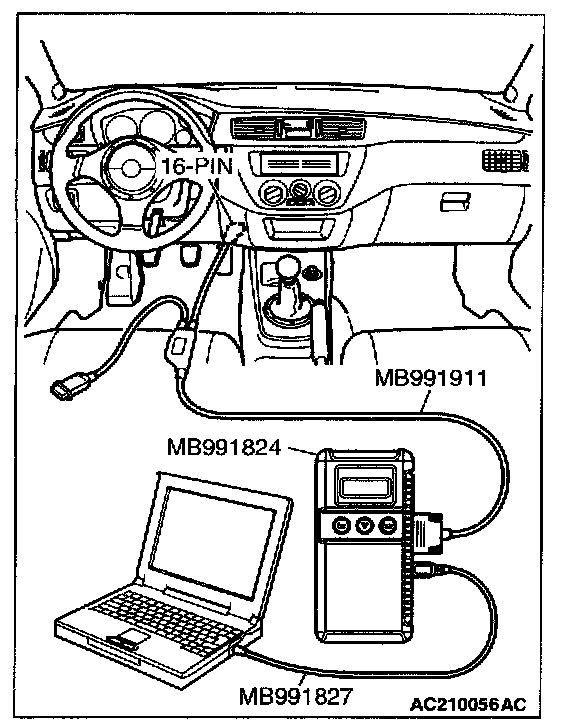
1. Connect the scan tool MB991958 to the data link connector.
2. Insert the key to be checked and turn the ignition switch to "ON" position.
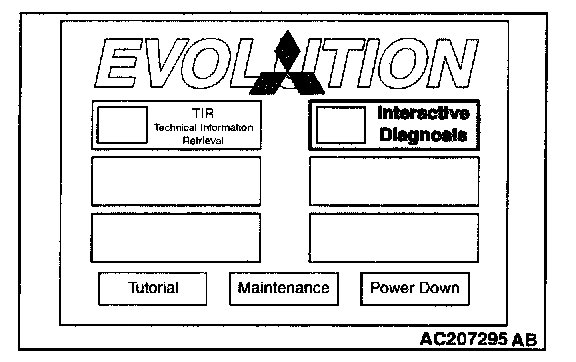
3. Select "Interactive Diagnosis" from the start-up screen.
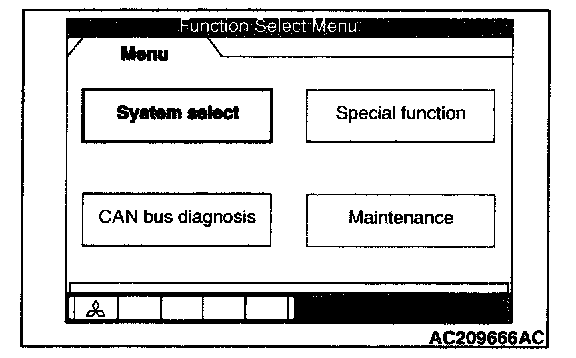
4. Select "System select.
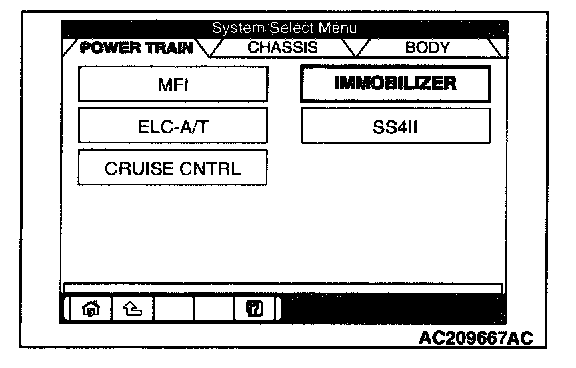
5. Choose "IMMOBILIZER" from the "POWER TRAIN" tab.
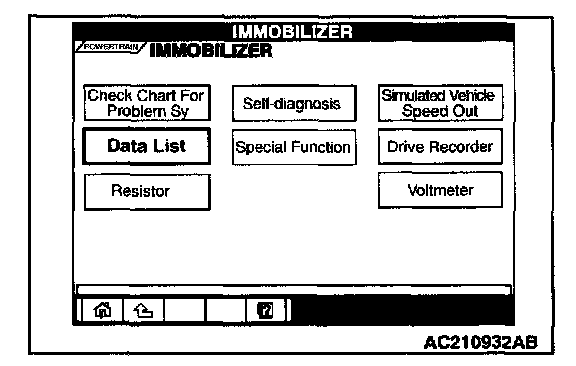
6. Select "Data List."
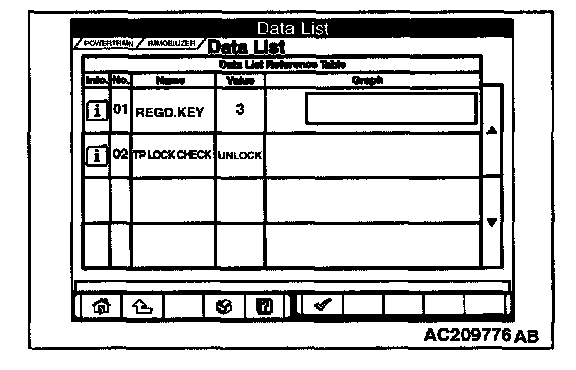
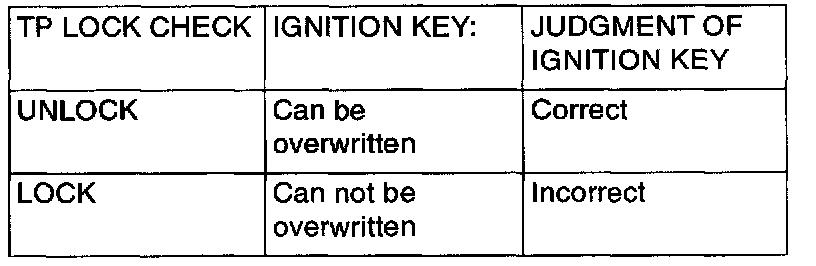
7. The multi-center display shows whether the ignition key, which has been inserted in the switch, can be rewritten and how many ignition keys have ever been registered. Repeat this check for an other keys to be registered.