How To Erase Diagnostic Trouble Codes
- Use special tool MB991529 to ground number 1 terminal of the data link connector.
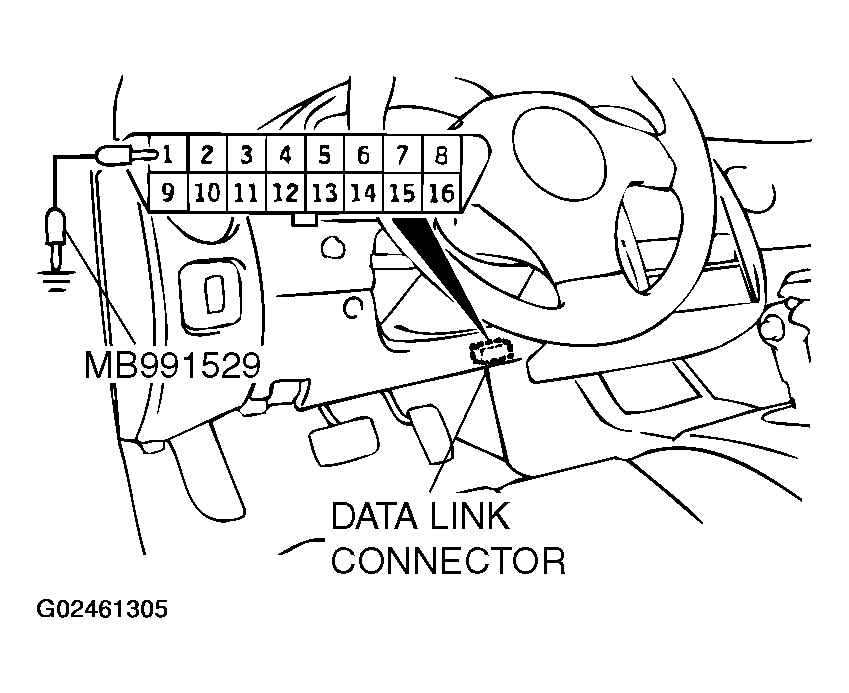 Courtesy of MITSUBISHI MOTOR SALES OF AMERICA.
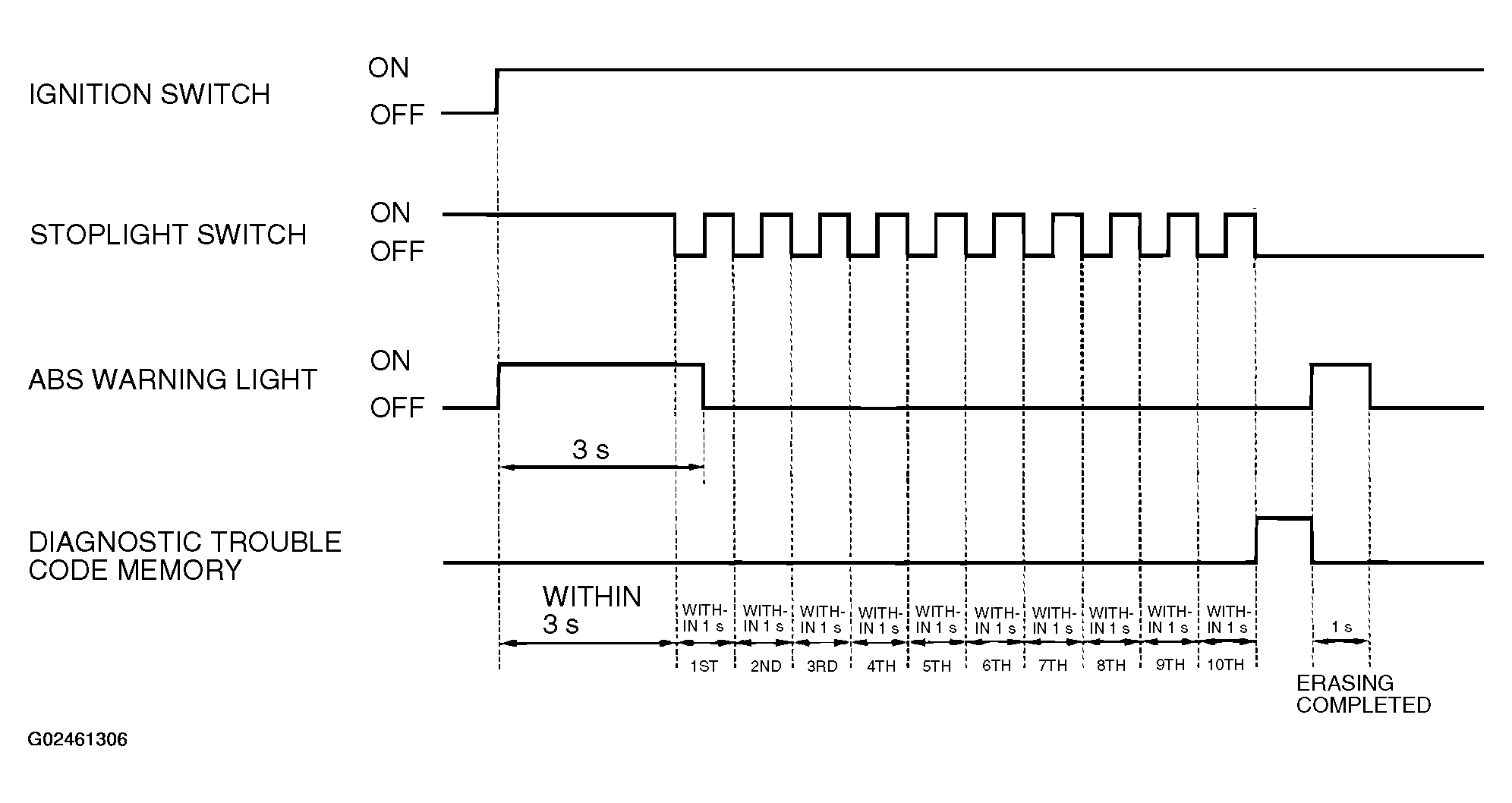 Courtesy of MITSUBISHI MOTOR SALES OF AMERICA.
- Depress the brake pedal and hold it.
- Turn the ignition switch to the "ON" position.
- After turning the ignition switch to the "ON" position, release the brake pedal within three seconds. Repeat this process of pressing and releasing the brake pedal 10 continuous times.
- Turn the ignition switch to the "LOOK" (OFF) position.
- Disconnect special tool MB991529.