Inspection Using Scan Tool MB991958, Data List and Actuator Testing
INSPECTION USING SCAN TOOL MB991958, DATA LIST AND ACTUATOR TESTINGRequired Special Tools:
- MB991958: Scan Tool (MUT-III Sub Assembly)
- MB991824: V.C.I.
- MB991827: USB Cable
- MB991911: Main Harness B
CAUTION: To prevent damage to scan tool MB991958, always turn the ignition switch to the "LOCK" (OFF) position before connecting or disconnecting scan tool MB991958.
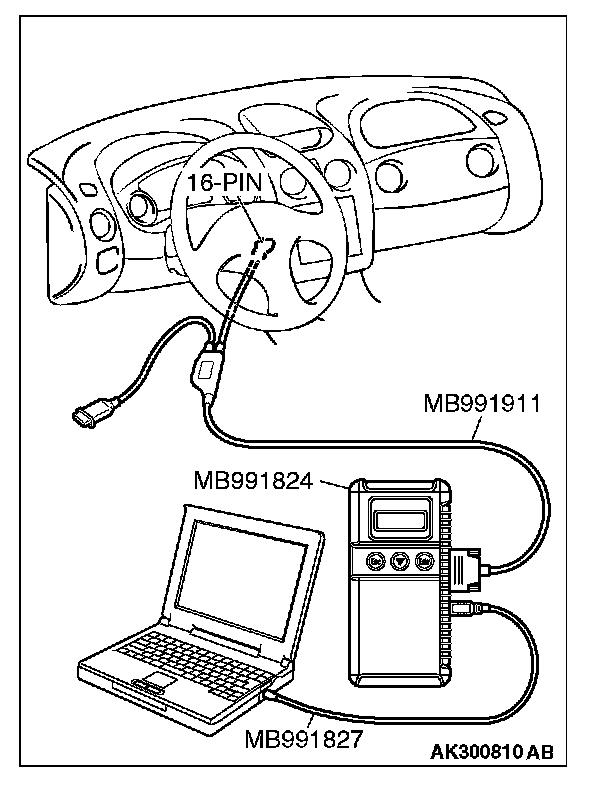
1. Connect scan tool MB991958 to the data link connector.
2. Turn the ignition switch to the "ON" position.
3. Select "Interactive Diagnosis" from the start-up screen.
4. Select "System select."
5. Choose "MFI" from the "POWER TRAIN" tab.
6. Select "MITSUBISHI."
7. Select "Data List" or "Actuator Test."
8. Choose an appropriate item and select the "OK" button.