How to Diagnose the CAN Bus Line
HOW TO DIAGNOSE THE CAN BUS LINERequired Special Tools:
^ MB991958: Scan Tool (M.U.T.-III Sub Assembly)
^ MB991824: Vehicle Communication Interface (V.C.I.)
^ MB991827: M.U.T.-III USB Cable
^ MB991910: M.U.T.-III Main Harness A
CAUTION
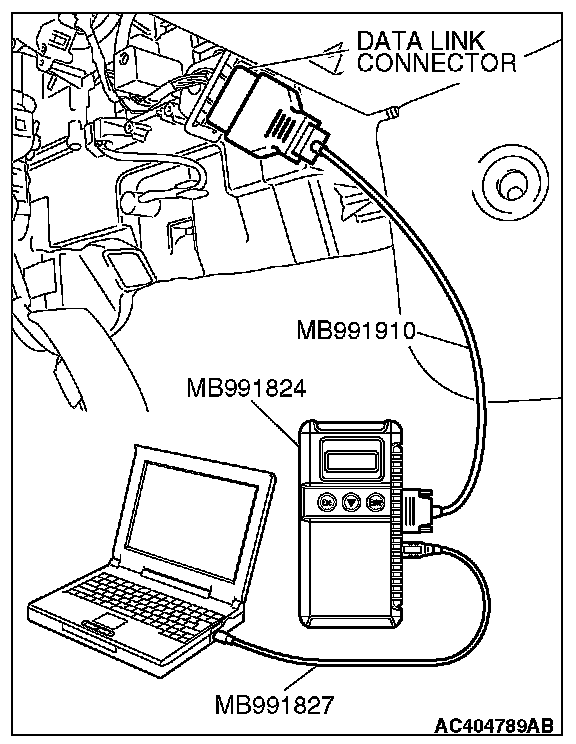
To prevent damage to scan tool MB991958, always turn the ignition switch to the "LOCK" (OFF) position before connecting or disconnecting scan tool MB991958.
1. Connect scan tool MB991958 to the data link connector.
2. Turn the ignition switch to the "ON" position.
3. Select "CAN bus diagnosis" from the start-up screen.
4. When the vehicle information is displayed, confirm that it matches the vehicle whose CAN bus lines will be diagnosed.
^ If they match, go to step 8.
^ If not, go to step 5.
5. Select "view vehicle information" button.
6. When the vehicle information is displayed, confirm again that it matches the vehicle which is being diagnosed.
^ If they match, go to step 8.
^ If not, go to step 5.
7. Press the "OK" button.
8. When the options are displayed, choose the options (mark the check) and then select "OK".