Monitor Check
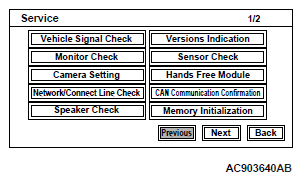
- Select "Monitor Check" on "Service" screen.
 Courtesy of MITSUBISHI MOTOR SALES OF AMERICA.
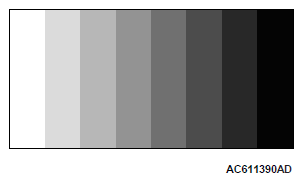
- Eight color bars will be displayed.
 Courtesy of MITSUBISHI MOTOR SALES OF AMERICA.
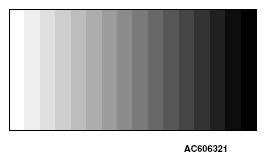
- When "Enter" is pressed on the navigation unit joystick while the eight color bars are shown, gray scale will be displayed with a 16-step gradation.
 Courtesy of MITSUBISHI MOTOR SALES OF AMERICA.
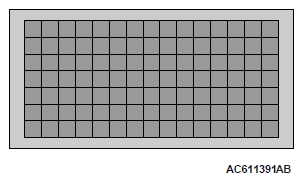
- When "Enter" is pressed while the gray scale is shown with a 16-step gradation, a crosshatch pattern will be displayed (Each cell should be square).
 Courtesy of MITSUBISHI MOTOR SALES OF AMERICA.
- When "Enter" is pressed on the navigation unit joystick while the crosshatch pattern is shown, the screen will turn white.
 Courtesy of MITSUBISHI MOTOR SALES OF AMERICA.
- When "Enter" is pressed on the navigation unit joystick while the screen is white, it will turn black.
 Courtesy of MITSUBISHI MOTOR SALES OF AMERICA.
- When "Enter" is pressed on the navigation unit joystick while the screen is black, the screen will turn red.
 Courtesy of MITSUBISHI MOTOR SALES OF AMERICA.
- When "Enter" is pressed on the navigation unit joystick while the screen is red, it will turn green.
 Courtesy of MITSUBISHI MOTOR SALES OF AMERICA.
- When "Enter" is pressed on the navigation unit joystick while the screen is green, it will turn blue.
 Courtesy of MITSUBISHI MOTOR SALES OF AMERICA.
- When "Enter" is pressed on the navigation unit joystick while the screen is green, it will return to the "Service" screen.