CAN Module Memory Data Indication
- Select "CAN Module Memory Data Ind" button on "CAN Comm Confirmation" screen.
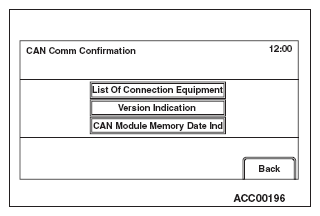 Courtesy of MITSUBISHI MOTOR SALES OF AMERICA.
- "CAN Module Memory Data Ind" will be displayed. A respective data will be displayed by selecting each button ("Various Data", "Coding data", "Chrono Stack").
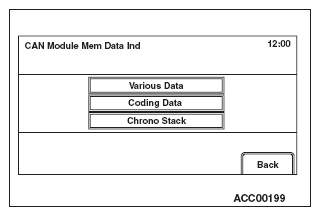 Courtesy of MITSUBISHI MOTOR SALES OF AMERICA.
- Select "Various Data."
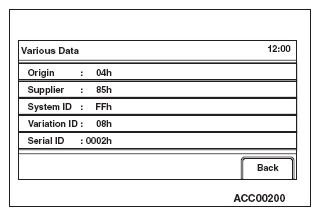 Courtesy of MITSUBISHI MOTOR SALES OF AMERICA.
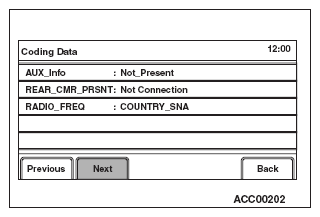
- Select "Coding Data."
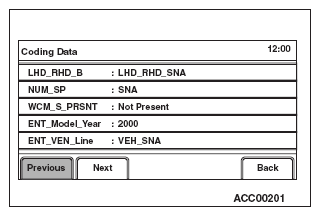 Courtesy of MITSUBISHI MOTOR SALES OF AMERICA.
 Courtesy of MITSUBISHI MOTOR SALES OF AMERICA.
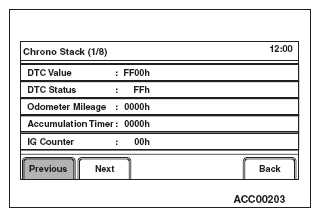
- Select "Chrono Stack."
 Courtesy of MITSUBISHI MOTOR SALES OF AMERICA.