Monitor Check
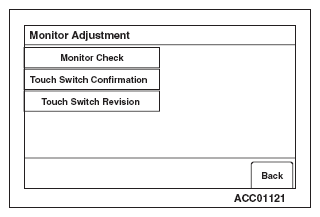
- Select "Monitor Check" button on "Monitor Adjustment" screen.
 Courtesy of MITSUBISHI MOTOR SALES OF AMERICA.
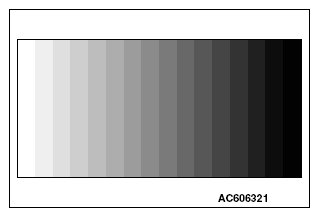
- 16-gradient grayscale pattern are displayed.
 Courtesy of MITSUBISHI MOTOR SALES OF AMERICA.
- By touching the grayscale screen, it will be switched to a full-scale white screen.
 Courtesy of MITSUBISHI MOTOR SALES OF AMERICA.
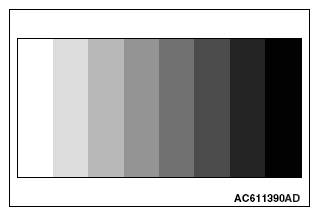
- By touching the full-scale white screen, it will be switched to a eight color bars.
 Courtesy of MITSUBISHI MOTOR SALES OF AMERICA.
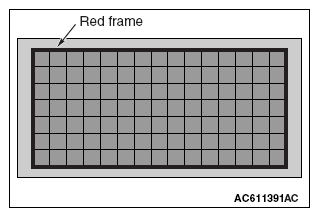
- By touching the eight color bars, it will be switched to a cross-hatch pattern. (Check whether the full-scale red frame is not misaligned)
 Courtesy of MITSUBISHI MOTOR SALES OF AMERICA.
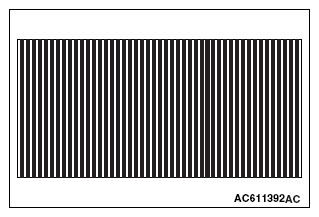
- By touching the cross-hatch screen, it will be switched to a monocolor vertical stripe screen.
 Courtesy of MITSUBISHI MOTOR SALES OF AMERICA.
- By touching the monocolor vertical stripe screen, it will be switched to a full-scale black screen.
 Courtesy of MITSUBISHI MOTOR SALES OF AMERICA.
- By touching the full-scale black screen, it will be switched to a full-scale red screen.
 Courtesy of MITSUBISHI MOTOR SALES OF AMERICA.
- By touching the full-scale red screen, it will be switched to a full-scale green screen.
 Courtesy of MITSUBISHI MOTOR SALES OF AMERICA.
- By touching the full-scale green screen, it will be switched to a full-scale blue screen.
- By touching the full-scale blue screen, it will be switched back to "Monitor Adjustment" screen.
 Courtesy of MITSUBISHI MOTOR SALES OF AMERICA.