BLUETOOTH® Control Unit (Steering Wheel Audio Control Switches) Check
- Turn ignition switch to ACC or ON.
- Wait for the Bluetooth® system to complete automatic initialization check. This may take up to 10 seconds.
- Press and hold the steering wheel audio control switches (PHONE/SEND) switch for at least 5 seconds. The Bluetooth® system will begin to play a verbal prompt.
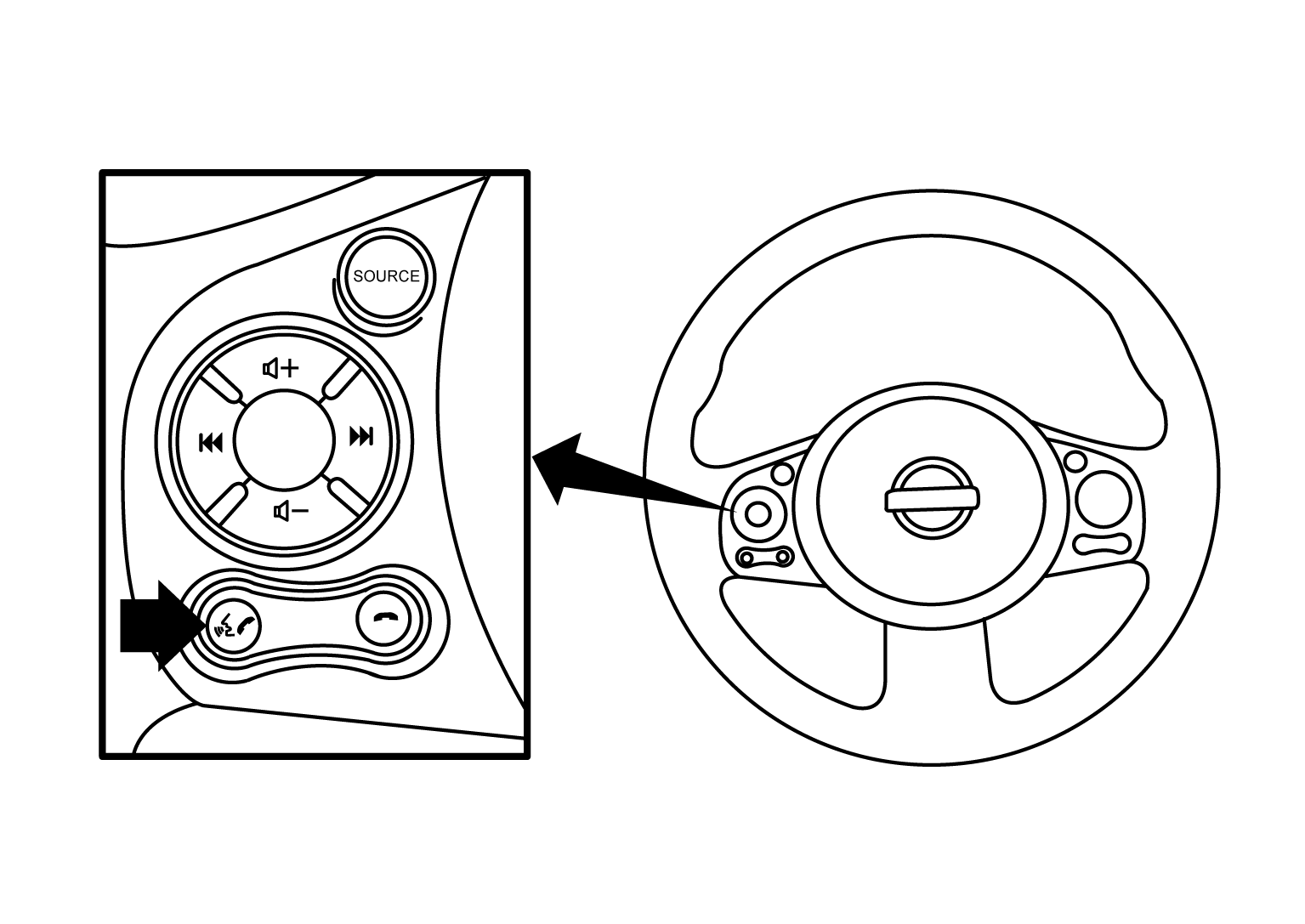 Courtesy of NISSAN NORTH AMERICA, INC.
- While the prompt is playing, press and hold the steering wheel audio control switches (PHONE/END) switch until you hear the "Diagnostics mode" prompt. The Bluetooth® system will sound a 5 second beep.
- While the beep is sounding, press and hold the steering wheel audio control switch (PHONE/END) switch again until you hear prompts.
- The Bluetooth® system has now entered into the diagnostic mode. Results of the diagnostic checks will be verbalized to the technician. Refer to
"WORK FLOW ".
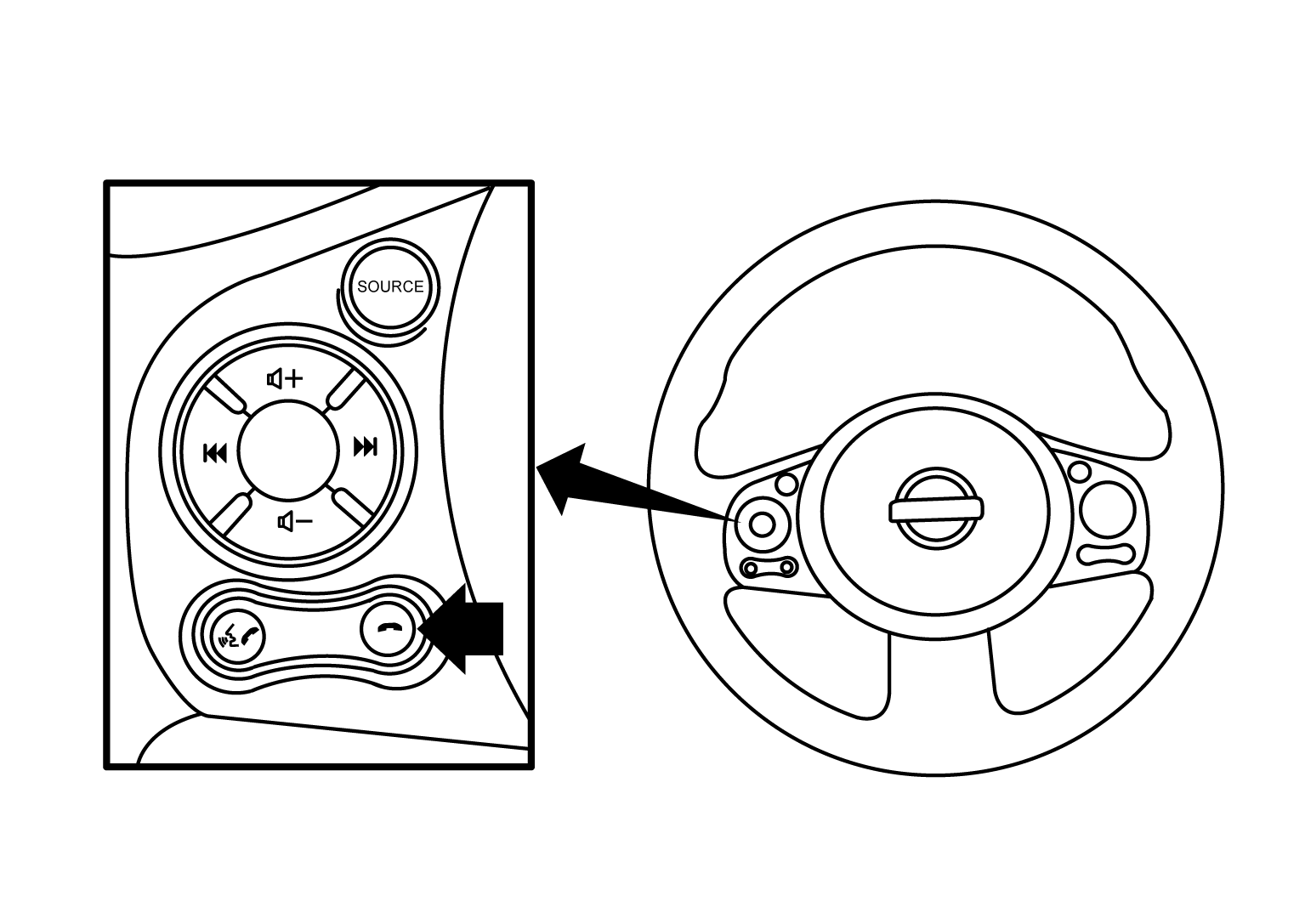 Courtesy of NISSAN NORTH AMERICA, INC.
- After the failure records are reported, an interactive microphone test will be performed. Follow the voice prompt. If the microphone test fails refer to
"WORK FLOW ".
- Self-diagnosis mode is complete when the voice prompt says "All diagnostic functions completed".