October 30: LEMON manuals on a temporary server, it is slow and having issues, download the manuals you need! Later in November we will switch back to the fast server.
Module - Body Controller - Security - Remove And Replace: Install
- Position the security controller to body using the clip and guide pin.
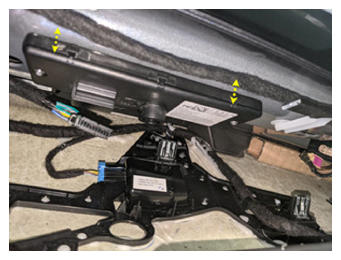 Courtesy of TESLA, INC. Courtesy of TESLA, INC.
|
- Install the bolt that attaches the security controller to the vehicle.
NOTE:
1x bolt, T30, 9 N.m
NOTE:
The bolt is captive inside controller housing and cannot be removed.
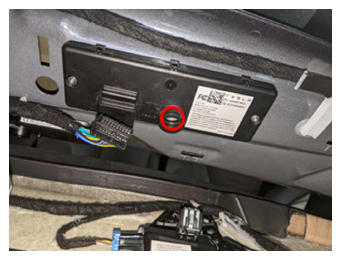 Courtesy of TESLA, INC. Courtesy of TESLA, INC.
|
- Connect the electrical harness to the security controller.
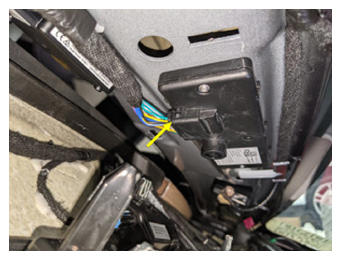 Courtesy of TESLA, INC. Courtesy of TESLA, INC.
|
- Install the clips (x5) that attach the headliner to the vehicle.
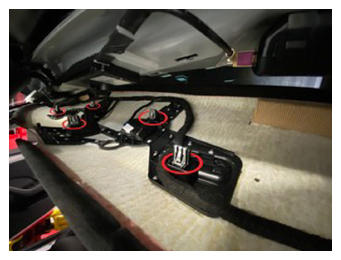 Courtesy of TESLA, INC. Courtesy of TESLA, INC.
|
- Install the upper quad camera cover. See Quad Camera Cover - Upper (Remove and Replace)
.
- Install the rear view mirror. See Mirror - Rear View (Remove and Replace)
.
- Connect the LV battery. See LV Power (Disconnect And Connect)
.
- Install the rear underhood apron. See Underhood Apron - Rear (Remove and Replace)
.
- Install the LH and RH sun visor. See Sun Visor - LH (Remove and Replace)
.
- Install the LH and RH upper A-pillar trim. See Trim - A-Pillar - Upper - LH (Remove and Replace)
.
- Install the LH and RH Instrument Panel end caps. See End Cap - Instrument Panel - LH (Remove and Replace)
.
- Install the LH and RH middle A-pillar trim. See Trim - A-Pillar - Middle - LH (Remove and Replace)
.
- Perform a service redeploy. See Firmware Reinstall - Toolbox
.
- Click the Actions
tab, and then search for "VCSEC".
- For vehicles running firmware versions 2023.44 upto, but not including, 2024.8, select PROC_VCSEC_X_SET-ROOT-KEY-TO-ALL-REGIONS
, and then click Run and allow the routine to complete.
- Select PROC_VCSEC_X_POST-REPLACEMENT-PROCEDURE
, and then click Run
and allow the routine to complete
- Select PROC_VCSEC_C_PAIR-NFC-CARD-V2
, and then click Run
.
- Place the NFC card(s) on the console phone dock.
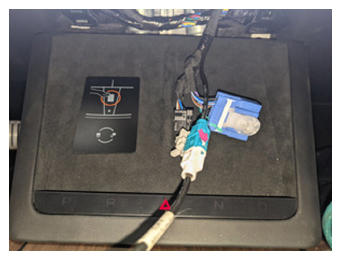 Courtesy of TESLA, INC. Courtesy of TESLA, INC.
|
- Input the number of keys to be paired to the vehicle, click Run Network
, and allow the routine to complete.
- Check the function of the programmed NFC keys.
- Disconnect Toolbox 3 from the vehicle.
- Inform the customer that the new security body controller will not recognize any previously paired phone key. The customer must delete and re-pair their phone key to the vehicle, if they were previously using this feature. Instructions are available in the Owners Manual, and at the DIY web pages.