Wiper Switch: Service and Repair
Wipers/Washer Switch Replacement
Removal Procedure
Caution: Refer to Battery Disconnect Caution.
1. Disconnect the negative battery cable.
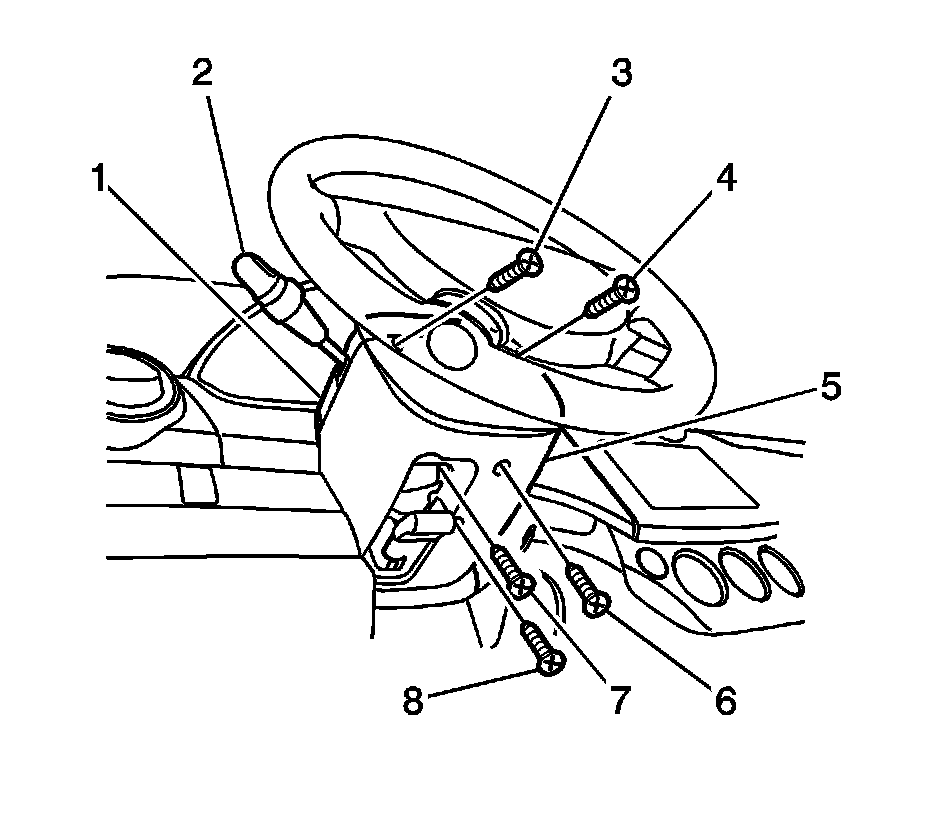
2. Remove the lower steering column cover panel screws (6, 7, 8) and remove the lower steering column cover panel (5).
3. Turn the steering wheel to expose the upper steering column cover panel connecting screws (3, 4). Remove the upper steering column cover panel screws and remove the upper steering column cover panel (1).
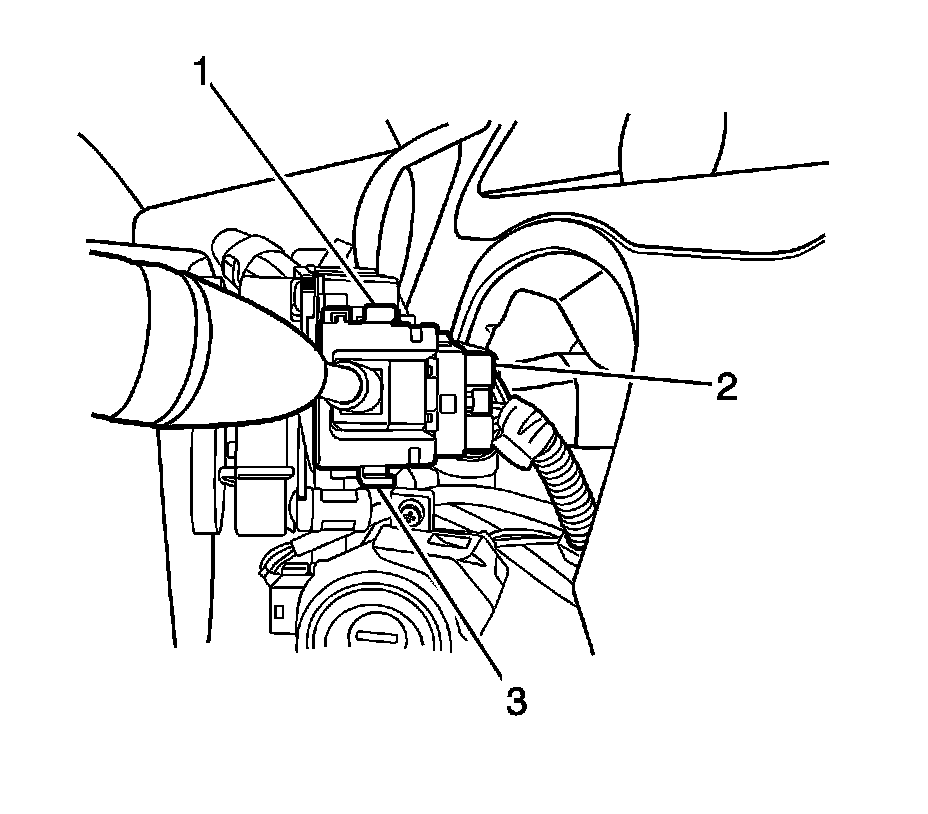
4. Remove the wiper switch by pushing in on the tabs (1, 3) on either side of the switch housing.
5. Disconnect the electrical connector (2) from the wiper switch.
Installation Procedure
1. Connect the electrical connector (2) to the wiper switch.
2. Install the wiper switch into the switch housing with the tabs (1, 3) on either side of the switch housing.
Notice: Refer to Fastener Notice.
3. Install the lower steering column cover panel (5). Install the lower steering column cover panel screws (6, 7, 8).
Tighten the lower steering column cover panel screws to 3 N.m (27 lb ft).
4. Install the upper steering cover (1) panel. Install the upper steering column cover panel screws (3, 4).
Tighten the upper steering column cover panel screws to 3 N.m (27 lb ft).
5. Connect the negative battery cable.