Select Monitor Function Mode
Applicable cartridge of select monitor.
NOTE: For basic handling of the select monitor, refer to its Operation Manual.
LIST OF FUNCTION MODE
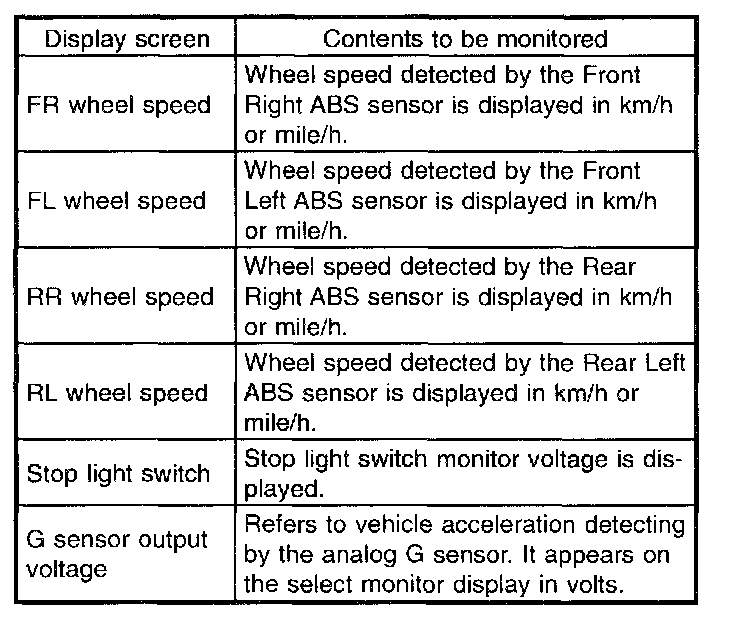
1. ANALOG DATA ARE DISPLAYED
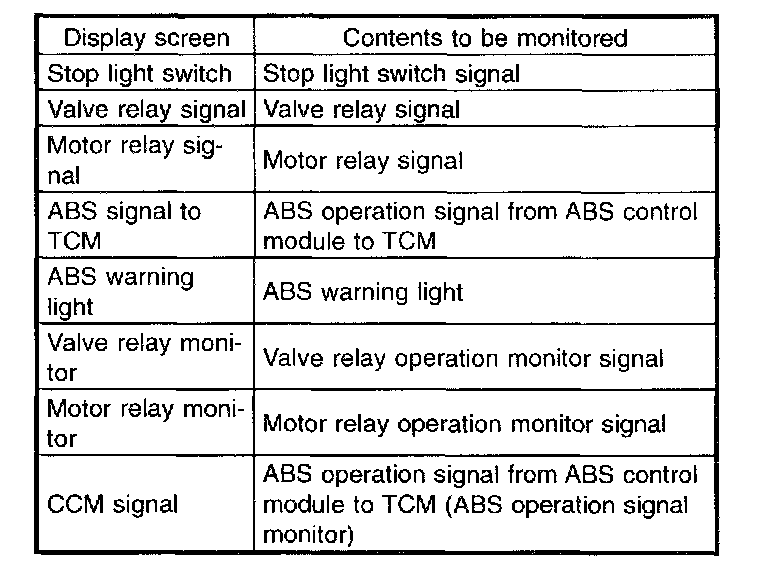
2. ON/OFF DATA ARE DISPLAYED
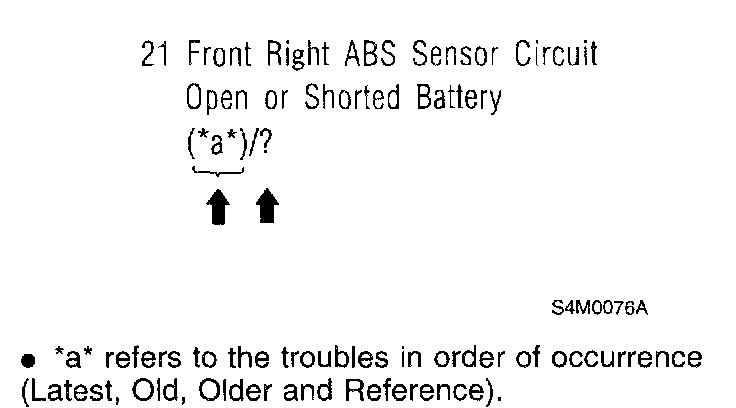
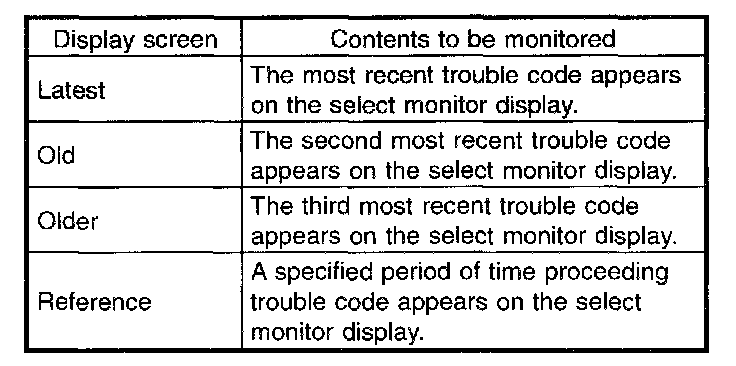
3. TROUBLE CODES ARE DISPLAYED
A maximum of 3 trouble codes are displayed in order of occurrence.
- If a particular trouble code is not properly stored in memory (due to a drop in ABSCM&H/U power supply, etc.) when a problem occurs, the trouble code, followed by a question mark "?", appears on the select monitor display. This shows it may be an unreliable reading.
- *a* refers to the troubles in order of occurrence (Latest, Old, Older and Reference).

4. CLEAR MEMORY
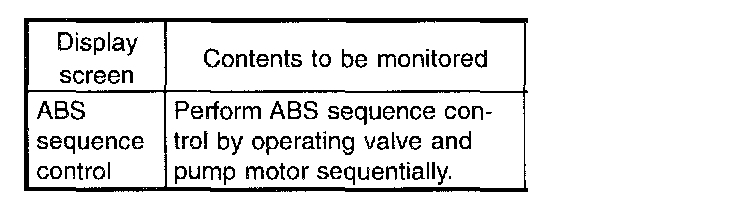
5. ABS SEQUENCE CONTROL
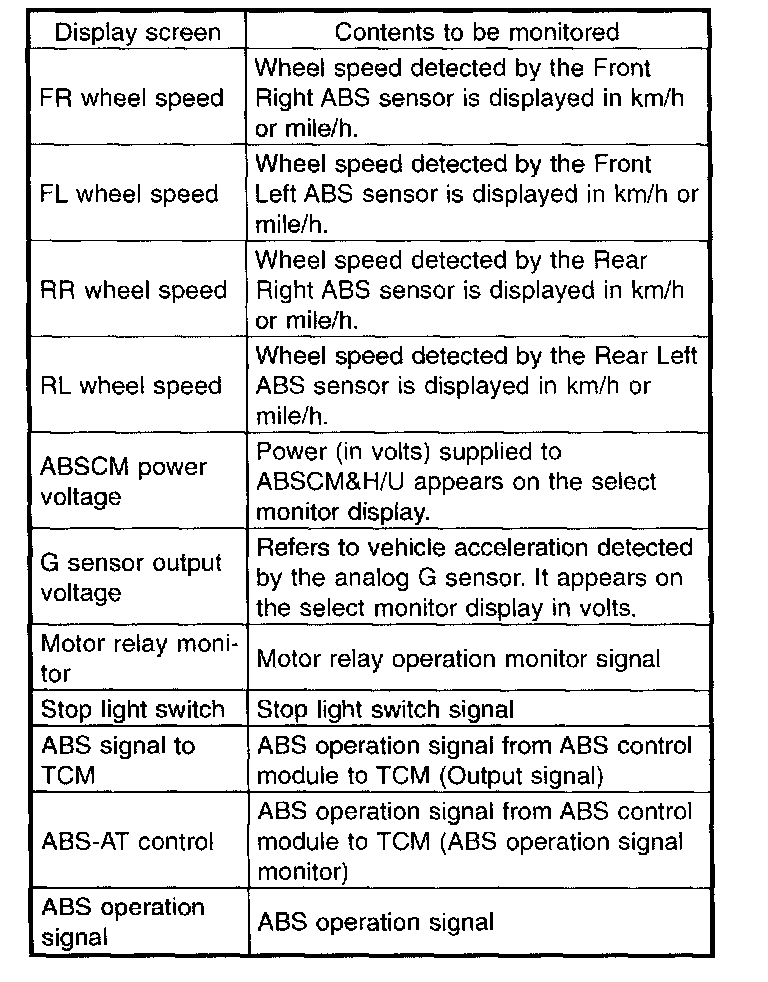
6. FREEZE FRAME DATA
NOTE:
- Data stored at the time of trouble occurrence is shown on display.
- Each time trouble occurs, the latest information is stored in the freeze frame data in memory.
- If freeze frame data is not properly stored in memory (due to a drop in ABSCM power supply, etc.), a freeze frame data, preceded by a question mark "?", appears on the select monitor display. This shows it may be an unreliable reading. The value of the freeze frame data will be written over, and the memory cannot be cleared.